Einleitung

Diese grundständige Anleitung ist Teil von anderen Anleitungen und nicht zum alleinstehenden Gebrauch gedacht.

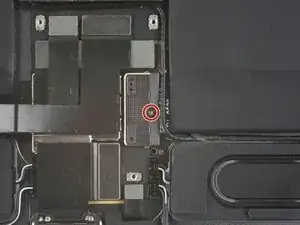
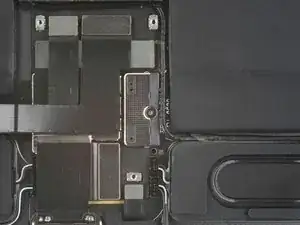
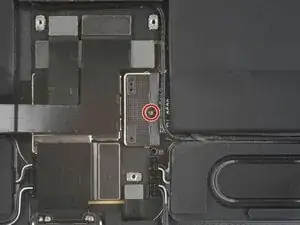
Diese "aktualisierte" Anleitung zeigt, wie der Akkustecker - wenn nötig - losgeschraubt werden kann, aber ohne die unzuverlässigere Methode mit den Kartonstreifen.

  1. WGgtPtoFurUUyFHQ
    WGgtPtoFurUUyFHQ
    SJDoQKa6SJjNiwfW
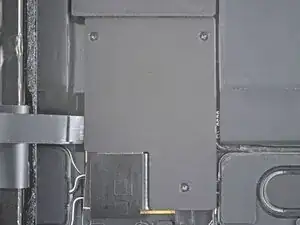
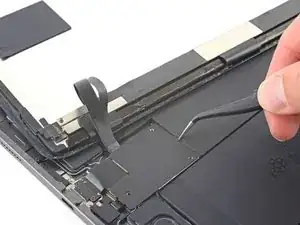
    • Entferne die drei 1,2 mm langen Kreuzschlitzschrauben, mit denen die untere Kabelabschirmung am Logic Board befestigt ist.

    This seems out of order.

    isa.stewart -

    Not really, 1st step release top ambient light cable , open iPad and remove the 3 screws

    Richard UK Apple -

  2. HX2WHfkpPscTGHet
    HX2WHfkpPscTGHet
    axgV6WnQeu5swxsC
    1evRVqJBSmKsTfGo
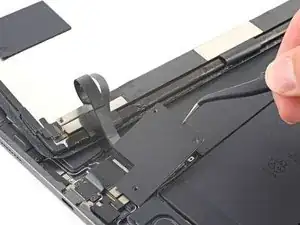
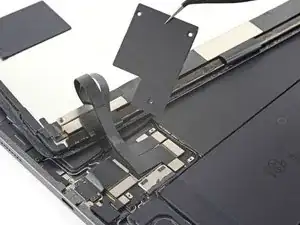
    • Entferne die untere Kabelabschirmung mit einer Pinzette oder deinen Fingern.

  3. 3yMUVEdk44LgDmoI
    3yMUVEdk44LgDmoI
    dXeVUMv1mBbYlGPf
    • Entferne die 1,8 mm lange Kreuzschlitzschraube, die den Akkustecker am Logic Board befestigt.

    There's a section missing here about inserting the playing cards to remove the connection to the battery. You can see these in the next screen nut it's not mentioned. Other users have reported shorts and damage due to missing this step. I'm not an expert but I noticed this and wanted to mention it.

    isa.stewart -

    There should be a step added here for isolating the logic board from the battery. Just removing the screw does not do this. In step 31, the picture shows the playing cards used to provide the isolation.

    Dools -

    After removing the screw, slip a thin piece of plastic or playing card stock or a thin guitar pic under the mother board on the edge closest to the battery to separate the contact. THIS IS NOT A PRY-UP DISCONNECT, THE STAINLESS COVER IS PART OF THE MOTHERBOARD.

    Geoffrey Hargreaves -

Abschluss

Um dein Gerät wieder zusammenzubauen, folge den Schritten in umgekehrter Reihenfolge.

Chayton Ritter

Mitglied seit: 21/08/20

23139 Reputation

0 Kommentare