Einleitung

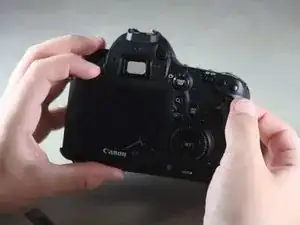
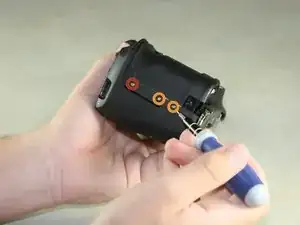
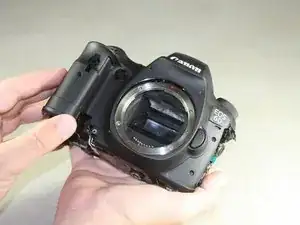
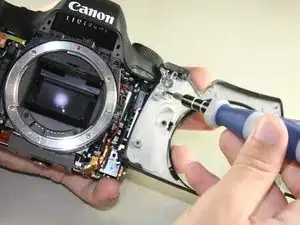
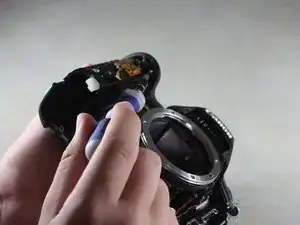
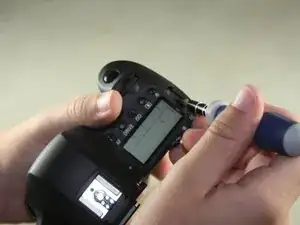
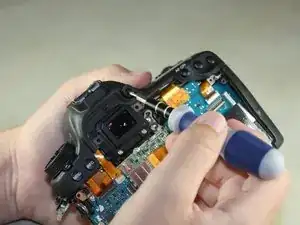
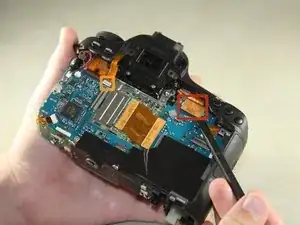
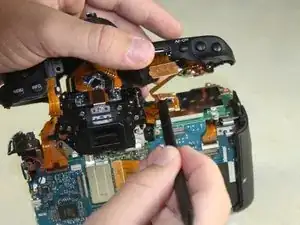
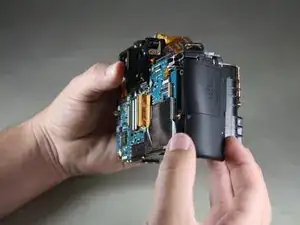
Nutze diese Anleitung um die Vorderseite und Abdeckung zu entfernen um mögliche defekte Komponten zu tauschen.

  1. PGtOmEPoNgC4aKES
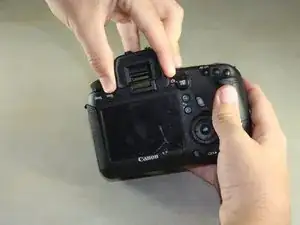
    • Entferne den Gummischutz am Sucher, indem du das Gummi leicht zusammen drückst und nach oben herausschiebst.

  2. ccGB6BJhI5infHmn
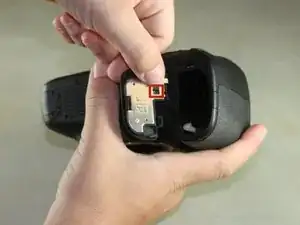
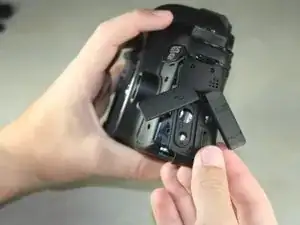
    • Öffne den Akkudeckel auf der Unterseite der Kamera

    • Drücke die kleine schwarze Lasche an der Innenseite des Akkudeckels mit dem Daumen hoch und ziehe den Deckel von der Kamera ab.

  3. 1SVkjih1iDxoURro
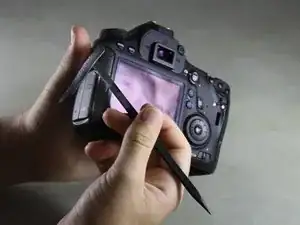
    • Fahre mit deinem Fingernagel oder dem flachen Ende eines Spudger unter die Gummierung und entferne sie von allen Seiten der Kamera.

    Presume includes same procedure for the right hand side of the camera which is now shown as derubberised

    laylow -

    It is unnecessary to completely remove the rubber from the right side of the back panel - in the next step where you remove two screws, simply lift the top right corner for access.

    rakurai -

  4. 4wl5RCjUBTYKn2wn
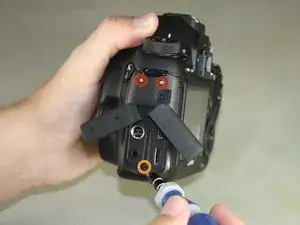
    • Öffne die Abdeckung des HDMI/AV/MIC Anschlusses in dem du sie vorsichtig herausziehst.

    • Drehe die Abdeckungen zur Seite um die Anschlüsse zu sehen.

    • Entferne folgende Schrauben:

    • Zwei silberne 5 mm Kreuzschlitzschrauben #00

    • Eine schwarze 6 mm Kreuzschlitzschraube #00

    Phillips#0 seemed to be a more secure fit.

    John Hood -

  5. wbGIRc21eYMaysQq
    • Ziehe die Lasche an der Unterkante der Kamera hoch, um die Abdeckung des HDMI/AV/MIC Anschlusses zu entfernen.

  6. nXfLD1GZMyINhBIT
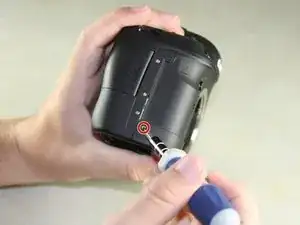
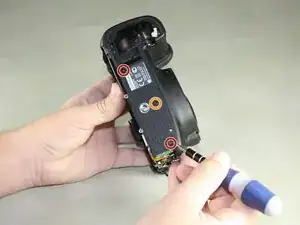
    • Drehe deine Kamera so, dass die Unterseite zu dir zeigt.

    • Entferne die folgenden Schrauben:

    • Eine 6 mm Kreuzschlitzschraube #00

    • Zwei 3 mm Kreuzschlitzschrauben #00

    Correction:

    2x 3mm Phillips #00

    1x 6mm Phillips #00 in battery compartment

    Joey Fresco -

    Figure circle is not correct. Joey Fresco is right.

    Tomonori OTA -

    the 6mm phillips #00 is under the grip.  The other 2 are 3mm.

    Jay Wang -

  7. v3CJOxdCyWKbJurV
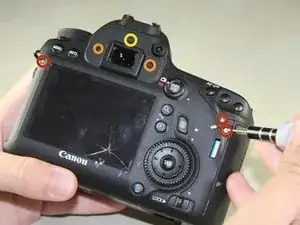
    • Drehe die Kamera so, dass die Rückseite zu dir zeigt.

    • Entferne die folgenden Schrauben:

    • Drei silberne 5 mm Kreuzschlitzschrauben #00

    • Zwei schwarze 6 mm Kreuzschlitzschrauben #00

    • Eine schwarze 4 mm Kreuzschlitzschraube #00

  8. a3GwdOFxZyLNDUTI
    a3GwdOFxZyLNDUTI
    OAYyPjFk3AEyiwQt
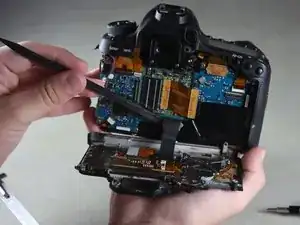
    • Ein schwarzes Flexkabel verbindet die Rückseite mit dem Inneren der Kamera. Eine Beschädigung des Kabels führt dazu dass der Bildschirm sowie die Knöpfe nicht mehr funktionieren können.

    • Kippe behutsam die Rückseite mit den Fingern rechtwinklig nach unten .

    • Heble das Kabel vorsichtig mit dem flachen Ende des Spudgers vom Inneren der Kamera ab.

    The ribbon cable is connected to the camera via a plug (the gold colored PCB has a male plug on the other side of the PCB). This plug is at the end of the spudger. You need to pull that PCB boar/plug straight up from the camera (perpendicular to the camera)

    Jim R -

    There is a metal piece protruding from the back panel into the main body, down near the battery door. DO NOT simply bend the back panel down 90 degrees! Gently pull the entire back (including the lower right corner near the battery door) straight away from the camera about 1cm, and then lower the back panel 90 degrees.

    rakurai -

  9. ZADAMCBTYjXFcKYR
    • Entferne die 8 mm Kreuzschlitzschraube #00 unten an der Vorderseite.

  10. SW6AvuBbaXanFQ2o
    • Drehe die Kamera so, dass der Einschub für die SD-Karte zu dir zeigt.

    • Entferne die untere 4 mm Kreuzschlitzschraube #00.

  11. 1QEFffL3JiBZGUpS
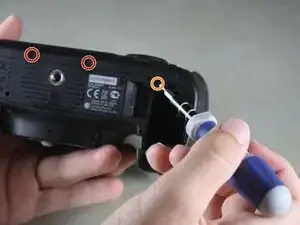
    • Drehe die Kamera so, dass die Unterseite zu dir zeigt.

    • Entferne die folgenden Schrauben:

    • Zwei 8mm Phillips #00

    • Eine 4mm Phillips #00

  12. FOOGJI1ePJPQTpVX
    • Entferne nun die Unterseite von der Kamera in dem du mit den Fingern das Cover aus dem Batteriefach löst und herausziehst.

  13. AFsybPsMGAw2kxti
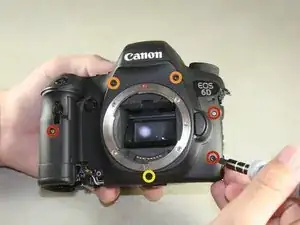
    • Drehe die Kamera so, dass die Vorderseite zu dir zeigt.

    • Entferne die folgenden Schrauben:

    • Drei 5mm Phillips #00

    • Zwei 6mm Phillips #00

    • Eine 4mm Phillips #00

    the screw on the grip is 4mm shorter then 2 on the right side.

    Jay Wang -

  14. I6HlMn6xWmPNAoeZ
    • Drehe die Kamera so, dass der Einschub mit der SD-Karte zu dir zeigt.

    • Entferne die folgenden Schrauben:

    • Eine 4 mm Kreuzschlitzschraube #00 mit Feingewinde

    • Zwei 4 mm Kreuzschlitzschraube #00 mit Grobgewinde

    Screw types were wrong.   There is only one coarse-tread Philips on the botton.  The top two are fin-thread.

    Jay Wang -

    Not on mine, the two orange-labeled screws were coarse threaded, but they are not the same length. The 0.5mm longer screw goes in the hole nearest the battery door.

    rakurai -

    Do not remove the upper orange-labeled screw. Removing the SD card door is unnecessary and risks damaging the tiny switch that detects the door being closed. Instead, loosen the screw about 1 turn and slide the front plate forward.

    rakurai -

    If you damage the switch, use a utility knife to pry it off the board/cable it is connected to and it will “trick” the camera into thinking the door is always closed. Be sure to turn your camera off before removing the card if you do this.

    Owen -

  15. wtnfCDGwV4KJkTBL
    • Das rote Lautsprecherkabel ist mit der Vorderseite verbunden. Das gewaltsame Öffnen der Vorderseite kann zu Schäden führen.

    • Klappe die Vorderseite nun vorsichtig nach rechts ohne sie abzuziehen.

    The adhesive holding the “6D” badge can give some resistance, be careful as it is very close to the delicate speaker wire.

    rakurai -

  16. XQ6TmF1jwhtVQF2H
    • Entferne die 4 mm Kreuzschlitzschraube #00 auf der Innenseite um die Einheit vom Lautsprecherkabel abzutrennen.

    Can the lens mount ring (the EF mount ring with the red dot) actually be removed without having to remove the front panel by just removing the four screws? Or does one actually have to disassemble the whole camera as shown in this guide?

    John Paul Adrian Glaubitz -

    Better to remove mount ring after disassemble the whole came as this guide. The ring was caught and could not be removed.

    Tomonori OTA -

    Removing the front panel is unnecessary for removing the top case. Just pull the panel forward 0.5cm to unhook the top case from the pins in the front panel, then slide it back into position temporarily while you work with the top. This avoids needing to unhook the speaker or otherwise damage front components.

    rakurai -

  17. ymtVOkOghUEhmtuj
    • Entferne die 4 mm Kreuzschlitzschraube #00 von der oberen Platte unter dem Haken.

    5mm screw, in case you unnecessarily removed the shutter button screw in the next step and mixed them up.

    rakurai -

  18. DWWFPVD4DgGi1lYu
    • Entferne die 4 mm Kreuzschlitzschraube innen an der oberen Abdeckung - unter dem Auslöser

    This step is not necessary

    Scott McRae -

  19. UHEFlvKIbNEaobJI
    • Drehe die Kamera so, dass die Oberseite zu dir zeigt.

    • Entferne die 6 mm Kreuzschlitzschraube #00 neben dem Analog-Display

  20. ryBeBKJWQYhr5etn
    • Drehe die Kamera so, dass die Rückseite zu dir zeigt.

    • Entferne die Kreuzschlitzschraube #00 vom Sucher.

    At no point did you tell us how to remove the mode dial.

    Matt Herriot -

  21. hP2fZuyGEpnwJ5q1
    • Entferne vorsichtig die beiden hellbraunen Flexkabel an der Oberseite.

    • Das rechte Flex kannst du mit dem flachen Ende eine Spudgers entfernen.

    • Für das linke Flex nutze eine Pinzette um es vorsichtig wackelnd nach oben zu lösen.

    The ribbon connector indicated in orange has a lever on the back of the connector that you lift with the spudger to release the cable. Then reinsert the cable until you feel it hit home and close the lever.

    Scott McRae -

    Scott is right.  To raise the lever is necessary when putting the ribbon back.

    Jay Wang -

  22. iCNOTrtWKvYYLMsq
    • Eine weiteres Flexkabel verbindet das Innere der Kamera mit der oberen Abdeckung.

    • Hebe die obere Abdeckung vorsichtig an, so dass du etwa 2 cm Platz hast.

    • Nutze auch hier wieder einen Spudger, um das obere Flexkabel zu lösen.

  23. rWikZ1mJq2EBOMkv
    • Fasse die verbleibende Seitenabdeckung mit den Fingern und ziehe sie vorsichtig von der Kamera ab.

    This step is unnecessary and risks damaging the tiny SD card door switch. See my comment on step 14 above to avoid removing this part.

    rakurai -

Abschluss

Um dein Gerät wieder zusammen zu setzen, befolge diese Anleitung in umgekehrter Reihenfolge.
Justin Thomas

Mitglied seit: 22/04/14

2188 Reputation

7 Kommentare

Actually, it would be perfect to note the color of the screws throughout the manual. This would help to get it right!

But thanks anyway, you saved me!!

mrbakin -

In step 11 one of the red circles marks incorrect screw - should point the one near plate not the one in battery compartment (compare to step 6)

leszekcylupa -

Agreed.

But thanks, apart from this minor error it was a great help and really clear. Cleaned the gunge out of the menu button and it now releases perfectly.

I found getting the ribbon cable back in (step 21) a bit difficult, combo wiggled and pushed it back in. Might recommend doing that one before the right one, and maybe before finally mounting the top cover.

Blakey -

My DSLR don't want to start after remount :(

dlirsoon -

Thanks.  You folks did a great job.  It help me replacing the main dial in 3 hours in just the first attempt.

Jay Wang -

I have no power to the camera after reassembling the body. All cables have been replaced correctly and secured. Any ideas?

David Collen-jones -

like a charm! you rock! thanks for that picture by picture howto, my camera got a new dail button after the ring with the icons was damaged and didn’t stick no more.

Albert Einstein -