Einleitung
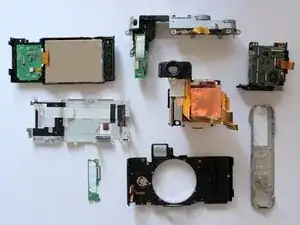
Der An-/Ausschalter Mechanismus meiner X20, der in der manuellen Zoom-Linse integriert ist, hat aufgehört zu funktionieren, nachdem die Kamera an der Linse getroffen wurde. Hier zeige ich, wie ich das repariert habe.


-
-
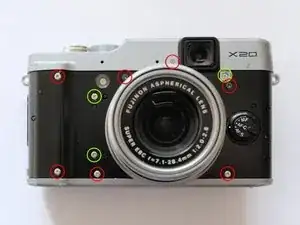
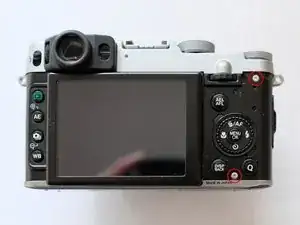
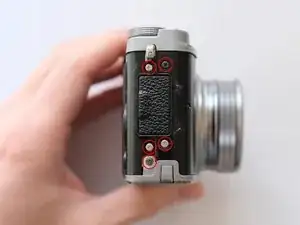
Ich habe die Gummibeschichtung komplett entfernt, um alle Schrauben zu finden, aber wenn du die Positionen kennst, kannst du den Großteil des Gummis belassen und es nur an den Rändern entfernen, um an die Schrauben zu kommen. Das Gummi haftet nach der Reparatur gut, ist aber sehr schwierig wieder anzubringen, wenn es komplett entfernt wurde.
-
Entferne alle rot markierten Schrauben, die grün markierten Schrauben müssen noch nicht entfernt werden.
-
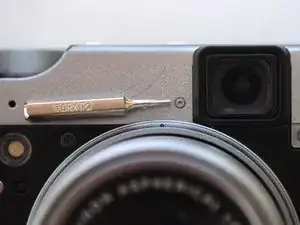
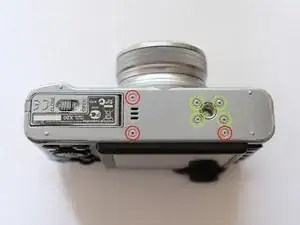
Nahezu alle Schrauben sind Kreuzschlitzschrauben, ausgenommen eine Torx-Schraube der Größe T2.
-
-
-
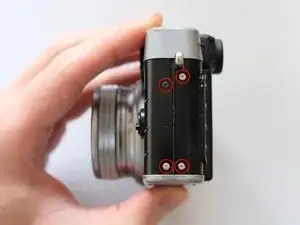
Entferne alle rot markierten Schrauben, die grün markierten Schrauben müssen noch nicht entfernt werden.
-
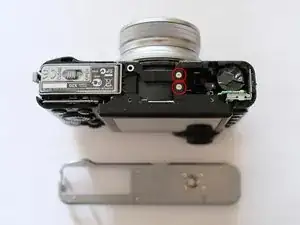
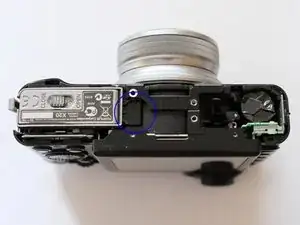
Wenn der Boden entfernt ist, siehst du den Lautsprecher an der blau markierten Stelle. Bei mir hat sich der Anschluss beim Öffnen gelöst, das hat mich nicht gestört, da ich den Lautsprecher nicht benutze. Wenn du das weißt, kannst du diesen Schaden vermeiden.
-
-
-
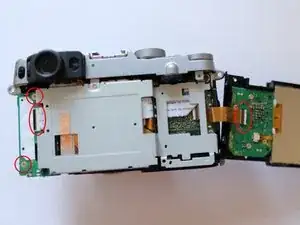
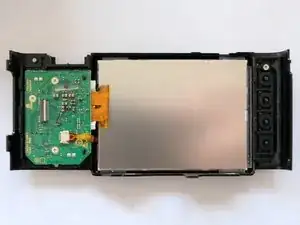
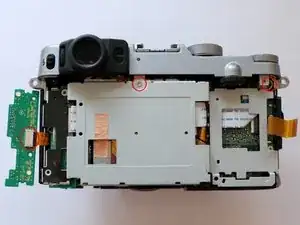
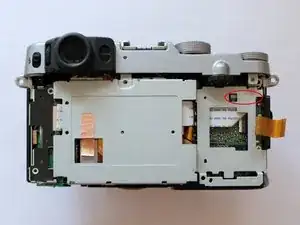
Löse die rot markierten Kabel. Dazu muss eine kleine Leiste verschoben werden. Trenne die Rückseite mit dem Display ab.
-
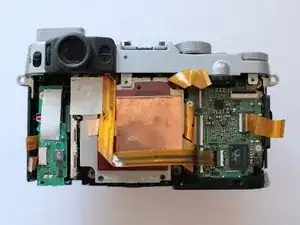
Entferne die Kabel und Schrauben an der linken Seite und entferne die kleine Platine. Nun kannst du die Metallabdeckung entfernen.
-
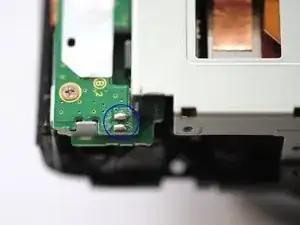
Im dritten Bild sind die Lötstellen des kleinen Lautsprechers blau markiert. Sie müssen nicht entlötet werden.
-
-
-
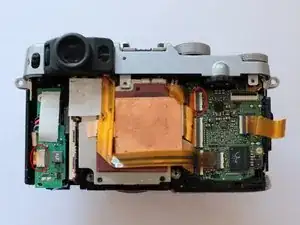
Die kleine Platine kann von der Platine abgelöst werden, dann die Schrauben um die Metallabdeckung zu entfernen. Die Metallabdeckung ist auf der Rückseite mit einem Kabel angeschlossen.
-
-
-
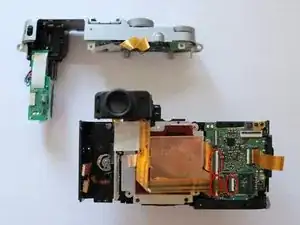
Um das Oberteil der Kamera abzulösen, müssen zwei Kabel abgetrennt werden, die Blitzeinheit mit Kondensator kann verbleiben.
-
-
-
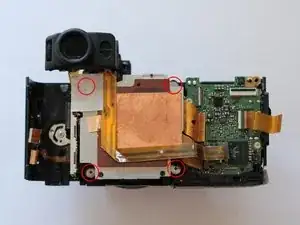
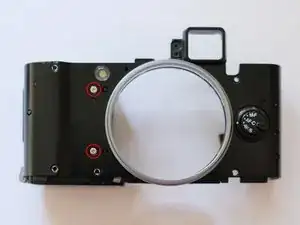
Um das Gerät ganz zu zerlegen musst du die beiden rot markierten Schrauben entfernen, mit denen das Akkufach befestigt ist.
-
-
-
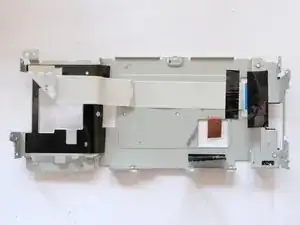
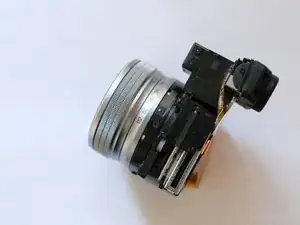
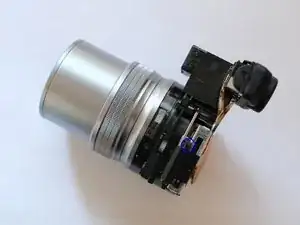
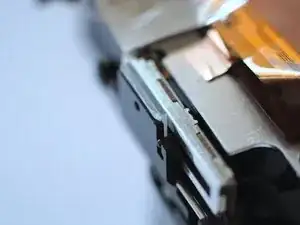
Hier ist die Mechanik zu sehen, die das Zoom-Objektiv betätigt und die Kamera schaltet. Beim Zoomen wird das schwarze Gleitstück auf der Metallschiene verschoben und der Einschalter ausgelöst. Dazu dient ein kleines weißes Zahnrad am schwarzen Gleitstück. Das Zahnrad gibt auch die aktuelle Position des Objektivs an die Kamera weiter.
-
-
-
In meinem Fall ist das schwarze Gleitstück zu den Schienen hin gekippt, so dass es keine Verbindung zum weißen Zahnrad mehr hatte und alle elektronischen Funktionen des Zooms gestört waren.
-
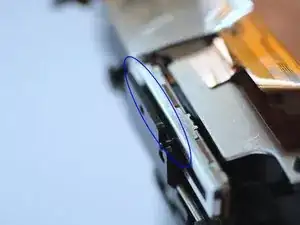
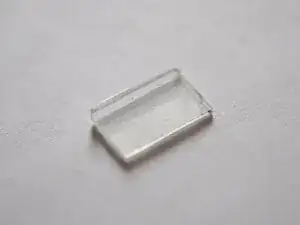
Ich habe ein kleines Stück Kunststoff auf die Rückseite des schwarzen Gleitstücks geklebt, so dass es nicht mehr nach vorne zur Schiene hin kippen kann. Achte darauf, dass das Gleitstück in der richtigen Position ist, so dass es später die richtige Brennweite anzeigt.
-
-
-
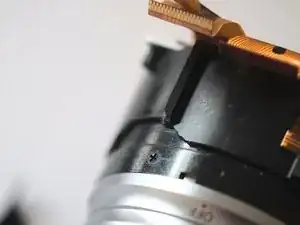
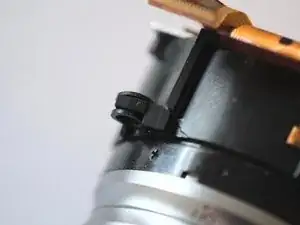
Das Objektiv muss einen Schlag erhalten haben, denn einer der Halter war abgerissen. Vermutlich ist deswegen auch der Ein/Ausschalter (Schritt 9, Bild 2) kaputt gegangen.
-
Ich habe den Halter mit Sekundenkleber wieder befestigt.
-
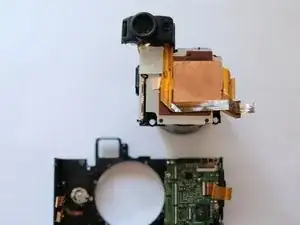
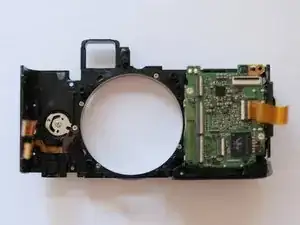
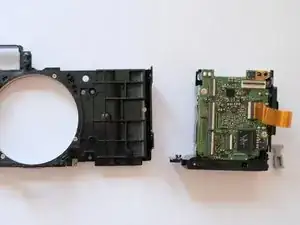
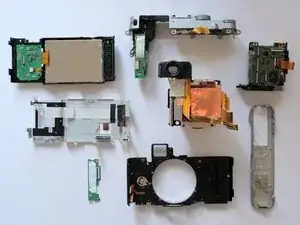
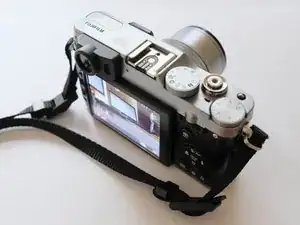
Um das Gerät wieder zusammenzubauen, folge den Schritten in der umgekehrten Reihenfolge.

13 Kommentare
Hello, i’ve try to repair my X20 who seemed to have the same probleme of on/off switch: the camera start in play mode but when i turn the on/off switch everything go’s to black and i can’t anymore go to the play mode. A disassembly the camera with your guide but i didn’t understand how exactly your repair it. What about the small plexiglass part you insert and why did it fix the pb ? Should i do exactly the same action to make my camera ready for some more pictures ?
Tank you for the disassembly guide which work perfectly.
I’m glad the pictures helped you so far. The plan was to add more text at some point, especially the part with the actual fix isn’t very clear. So let me explain a bit more detailed how I fixed the on/off switch in my X20:
In the first picture of step 10 you see the metal rail and the black slider sitting on top. If you turn the lens the slider should move along the rail and activate the on switch sitting inside. That works via a small white gearwheel that is connected to the black slider. In my case (and I hope you find the same situation in your camera) the black slider could tilt towards the rails, disconnecting the white gearwheel and therefore all electronic functions of the zoom mechanism.
To fix that I glued the bit of plastic onto the backside of the black slider, preventing it from tilting towards the rail. Before you fix the slider position you need to make sure it’s in the right position to show the exact focal range later in camera.
If you should have more questions you are welcome to write me again.
I’m looking forward to when you add more description to these photos. I have the same issue with my X20 since last week. I turn the lens, there is sign of power, then its off. I know that the battery is good and fully charged. I can turn on the playback function no problem. I am reluctant to rip into the camera before I understand better what I need to do.
rrcp -
Hello,
It is difficult to say what the usual reason for this on/off-switch issue is. I think my case was special because I found that the lens must have been knocked at some point, in step 11 you can see that one of the lens fixing points were broken off and that must have broken the switch as well.
The on/off-switch problem appears more often but I think it can have different sources. The only way to find out, without sending it to service, would be do open it and have a look. I found a video of someone opening his X10 (which is a very similar design) and explaining how he fixed his camera having also trouble with the switch but with a different cause, maybe that helps: https://www.youtube.com/watch?v=dKn16FJT...
If you have any questions in particular please let me know.
Best wishes,
Manuel
Added some descriptions now as well, hope that helps.