Einleitung
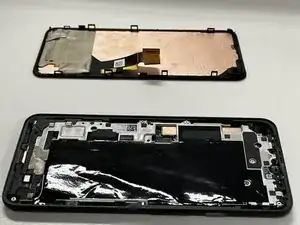
Ist das Display deines Google Pixel 5a beschädigt oder defekt? Das Display auszutauschen ist nicht schwer, das kann jede:r schaffen. Um das Display deines Geräts auszubauen und zu ersetzen, folge dieser Anleitung.


-
-
Schalte dein Gerät aus, bevor du beginnst, das Display auszubauen.
-
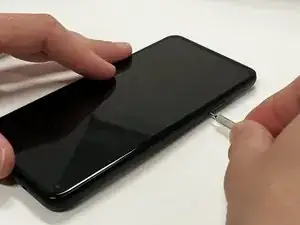
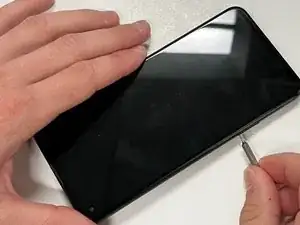
Führe eine Büroklammer oder ein SIM Auswurfwerkzeug in das Loch im SIM-Fach ein.
-
Drücke vorsichtig, bis das Fach herausklickt.
-
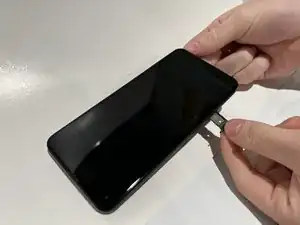
Ziehe das SIM-Fach aus deinem Google Pixel 5a.
-
-
-
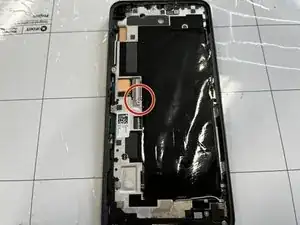
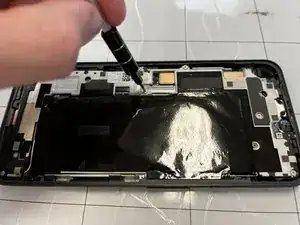
Entferne die 4 mm Schraube mit einem T4 Torx Schraubendreher.
-
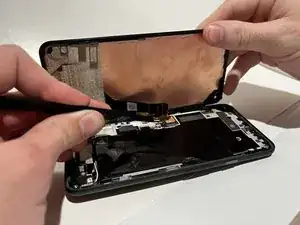
Löse das Flachbandkabel, das das Display an Ort und Stelle hält.
-
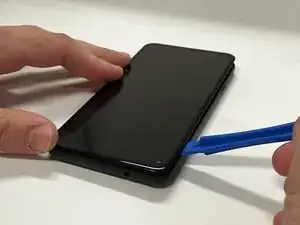
Nimm das Display vom Rest des Smartphones ab.
-

To reassemble your device, follow these instructions in reverse order.

Ein Kommentar
Be careful not to pry up the surface mounted component to the right of the earspeaker. It is a small capacitor looking thing that is mounted on a flexible circuit.