
Einleitung


-
-
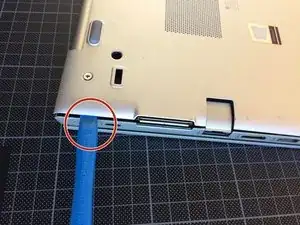
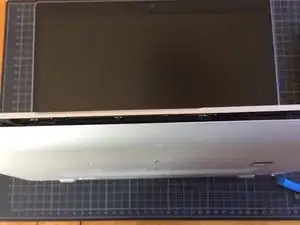
Nimm ein iFixit Öffnungswerkzeug oder deine Finger.
-
Fange an der entfernt liegenden Seite an zu hebeln.
-
Öffne den Computer.
-
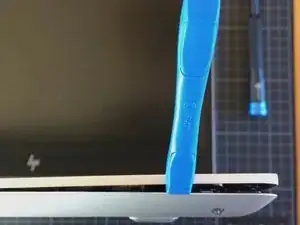
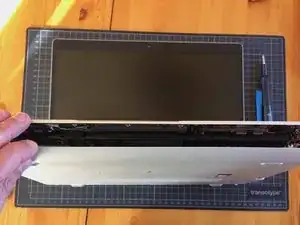
Löse die Bodenplatte behutsam von der Vorderseite (mit der Tastatur) ab.
-
-
-
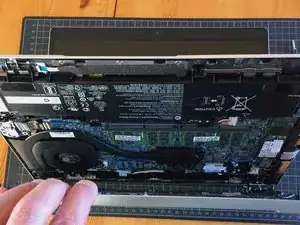
Öffne jede Seite vorsichtig (das Tastatur-Panel zeigt nach oben, die Bodenplatte nach unten).
-
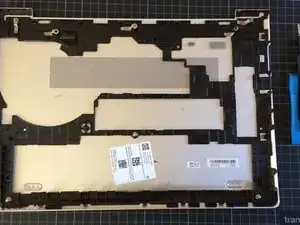
Lege die Bodenplatte zur Seite.
-
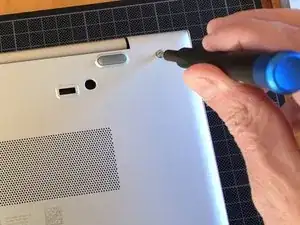
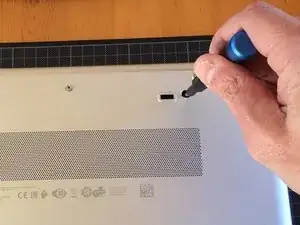
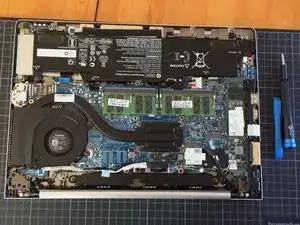
Um dein Gerät wieder zusammenzubauen, folge den Schritten in umgekehrter Reihenfolge.

3 Kommentare
Are the 6 silver-colored screws holding the back cover on all the same length?
All of the screws are captive, meaning they don't come out of their holes. They are not all the same length, however, but since you can't lose them you don't need to worry about getting them back into the same holes.
The central screw has a different size.
Eric M. -
Pour voir au changer la batterie comment faire ?
Brahim Jelti -