Einleitung
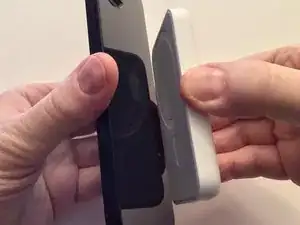
Wenn sich eine Hülle auf dem iPhone befindet, muss sie MagSafe-kompatibel sein.
-
-
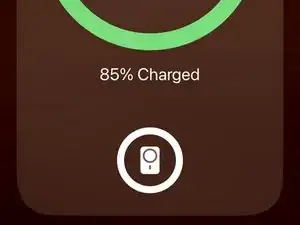
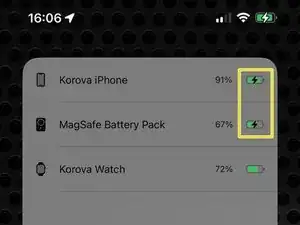
Auf dem Bildschirm wird ein Popup angezeigt, das auf das Vorhandensein des Akkus hinweist. Das Popup zeigt Folgendes an:
-
Der Ladezustand des iPhones (Symbol und Prozentsatz).
-
Der Ladezustand des Akkus (Symbol).
-
Gibt an das das Iphone das Landen akzeptiert.
-
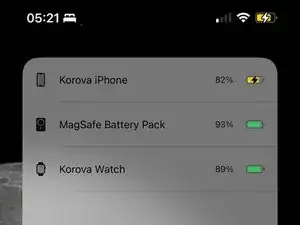
Die Startbildschirm-Widgets für den Akku zeigen den Ladezustand des Akkus an. Das Widget kann auch anzeigen, ob der Akku aufgeladen wird (z. B. per Kabel oder durch Rückwärtsladung).
-
Abschluss
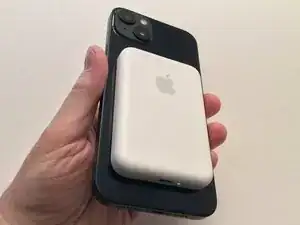
Um den Akku zu entfernen und den Ladevorgang zu beenden, entfernen Sie ihn einfach von der Rückseite des iPhones.
Weitere Informationen zur Verwendung des MagSafe-Akkus finden Sie unter see the Apple KB article.

The MagSafe Battery Pack and the MagSafe Leather Wallet With Find My Support (both Apple) are the same size. On the 14 Plus, the onscreen indicator when connecting either is the same size as the accessory.
Can anyone with another size of 12, 13, or 14 (non Plus or Pro Max size) test and confirm. Again, Either the Wallet or Battery Pack will do. (FYI, the paperwork insert with the Leather Wallet is the same outline as the devices.)
David Spalding -