Einleitung
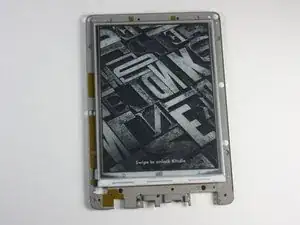
Das Display deines Kindle kann als das zentrale Bauteil betrachtet werden – an ihm sind alle anderen Komponenten befestigt. Obwohl die Reparatur relativ unkompliziert ist, musst du deinen Kindle vollständig zerlegen. Keine Sorge – diese Anleitung führt dich Schritt für Schritt durch den Vorgang.
Werkzeuge


Ersatzteile

-
-
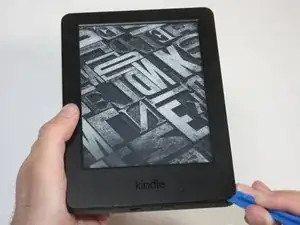
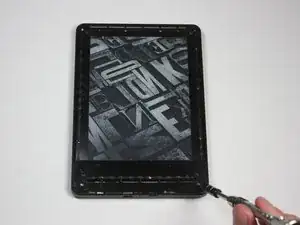
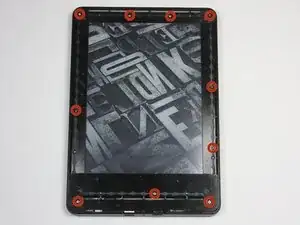
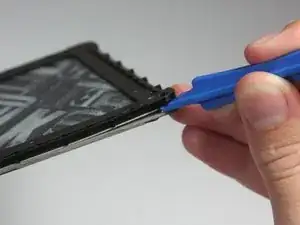
Benutze das blaue Kunststoff-Öffnungswerkzeug an jeder Ecke, um die Frontabdeckung zu lösen und vom Klebstoff zu trennen.
-
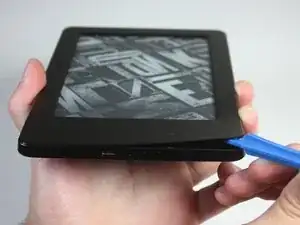
Fahre mit dem Werkzeug an den Fugen entlang, um die Frontabdeckung abzuhebeln.
-
-
-
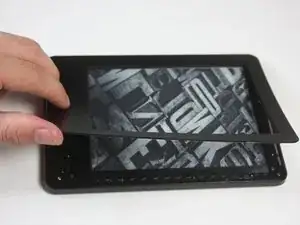
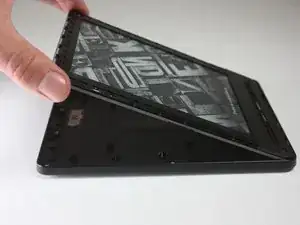
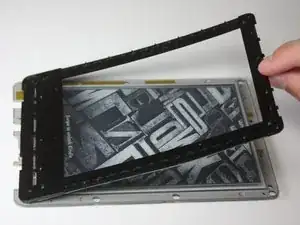
Ziehe die Frontabdeckung ab, um sie vom Kindle zu entfernen.
-
Um eine Beschädigung der Frontabdeckung zu vermeiden, ziehe sie von den Ecken zur Mitte des Kindle hin ab.
-
-
-
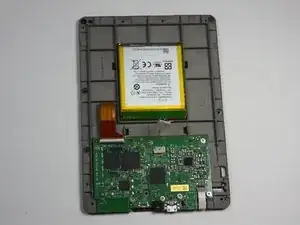
Löse das Innenteil von der Rückabdeckung, indem du gleichmäßig an den Ecken und Kanten entlangarbeitest.
-
-
-
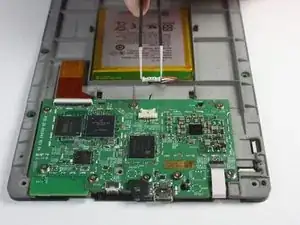
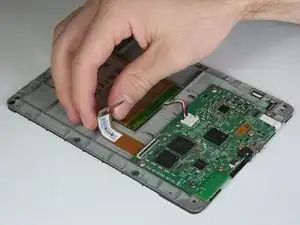
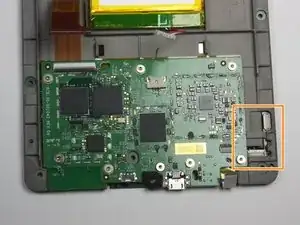
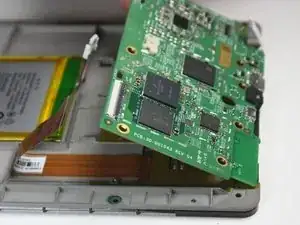
Klappe, ähnlich wie im vorherigen Schritt, die Halteklappe des Steckverbinders für das weiße Kabel nach oben.
-
Ziehe das weiße Kabel vorsichtig aus dem Steckverbinder.
-
-
-
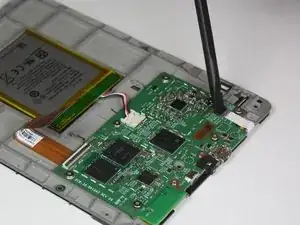
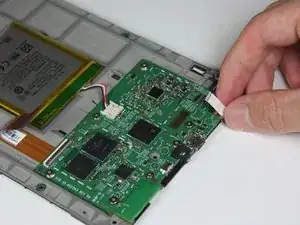
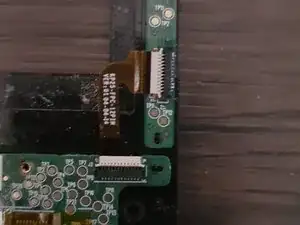
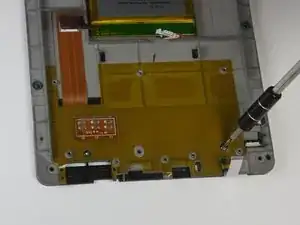
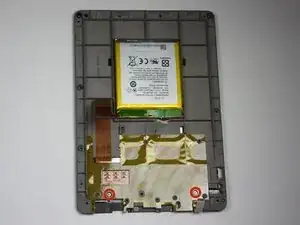
Trenne das Verbindungskabel des Touch-Sensors, indem du mit dem Spudger vorsichtig die Laschen an den beiden weißen Steckverbindern wegklappst.
-
Ziehe das Kabel mit einer Pinzette heraus.
-
Das Verbindungskabel des Touch-Sensors ist das Kabel, das diese beiden Steckverbinder miteinander verbindet.
-
-
-
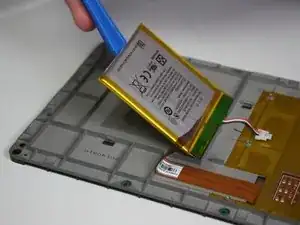
Fahre mit dem Kunststoff-Öffnungswerkzeug ringsum an der Kante entlang, um die Blende vom Kleber zu lösen.
-


Um dein Gerät wieder zusammenzubauen, folge diesen Anweisungen in umgekehrter Reihenfolge.

9 Kommentare
I Need this Screen for my kindle, where find to buy.
Hi, I have a big problem with my kindle 7th genration, the screen is frozen, I tried the root by pushing start buton for 40 sec and more, nothing, even if I took apart every peace of the tablaet ( main board batery...) it still frozen !!!! how can I fix it? thank you
i just let mine sit for a few months i didn’t even turn it on after a few months i plugged it in then turned it on and it worked
My screen froze two days ago while doing a reboot. So I read up on advice and nothing worked. Then I contacted Amazon and spent a mammoth six hours on chat trying to sort out the issue. After 5 consultants I ended up ordering a new kindle with a discount. When trying to apply the discount I spoke to an Australian Kindle guy who told me to drain the battery by leaving it for months without charge. Then I found this page and so I disassembled my Kindle up to removing the battery. Then I plugged the battery back in, and switched it on and it worked!! So I reassembled it and now it is working fine. Only problem is I just paid $249 for a new Kindle.
Hi, anyone knows if the replacement screen is still available somewhere? Any other screen I could buy that are compatible? Thanks!
Yes. I believe there are new-old surplus stock display panels available on AliExpress and eBay. Just be sure to check to make sure that you’re ordering the correct EPD panel or assembly.
i had a battery that wouldn't even last a full day in the end. by accident i let the battery fall below 10% charge and when turned on it only showed the battery icon. I fully charged it and now i am having no problems with it. what i think happened is it reset the batteries memory and that was the problem. worth trying anyway before buying a new battery.
soupamanx -
I have no idea if my kindle is off. Holding in the button for a minute does nothing.
Manfred Knorr -