Einleitung
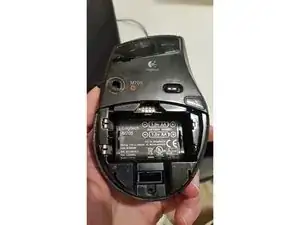
Diese Anleitung zeigt, wie die Maus geöffnet wird.
Werkzeuge

-
-
Drehe die Schrauben unter dem Aufkleber heraus.
-
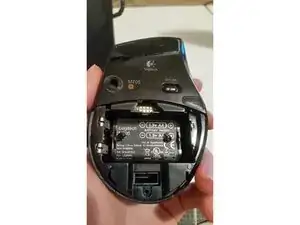
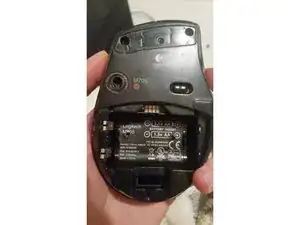
Drehe die Schraube unter dem Einschub für das USB-Dongle heraus.
-
-
-
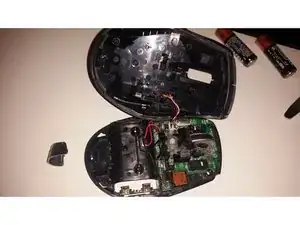
Bei mir hat der Rechtsclick nicht mehr gut funktioniert. Ein kleines Plättchen auf dem Mikroschalter hat Abhilfe gebracht.
-
Das war's.
-

Um dein Gerät wieder zusammenzubauen, folge den Schritten in umgekehrter Reihenfolge.

13 Kommentare
1) There is an additional screw that is already removed on the first picture : under the USB stick emplacement.
2) It is not necessary to remove the rubber. Just peel it with something thin, because the screws are very lateral
3) Be careful while disassembling the top, it is plugged to the base by a 3 wires connector (white/red/black on the Step 4 picture).
Nice simple guide. I used it to quickly take apart a M705 where the laser stopped working after it fell. I didn't do more than reseat the connector cable, but it seems to work again now !
Philippe Puech's comments are good. In fact I wished I'd noticed his 2) before removing the rubber, as the lower layer distorts and doesn't fit back well on a complete removal. His comment puzzled me at first, and might be better phrased as "Peel back the rubber from each side to expose the Left and Right retaining screws. "
A screw bit labelled PH1 (Philllips Head 1) seemed to fit the screws well.
Hello, I recently bought used m705. but it wont turn on even if i change the battery. is there anyway i can fix this?
Thank you.
eekj97 -
Don’t overlook the single screw visible just below where the USB dongle (Universal Receiver) nests under the battery cover.
Duane Blanchard -