Einleitung

MacBook Pro 17" Unibody 2.2GHz early 2011 Duo

Vibrationsgeräusch in deinem neuen MacBook Pro?

Lauter Lüfter? Überhitzung?

Versuch das hier!

  1. 345ueGdIsWIDEQJP
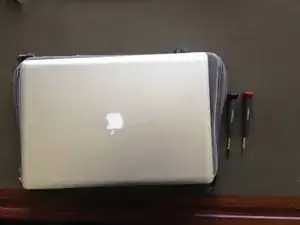
    • Du benötigst einen Kreuzschlitz-Schraubendreher PH000 und einen Torx T5 Schraubendreher

  2. fGg43BNHXM3MFPwd
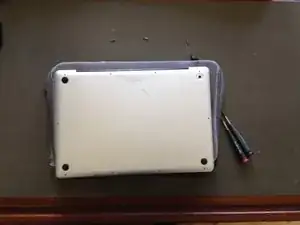
    • Drehe dein MacBook um.

  3. IwR4lXQ23ATUHtUT
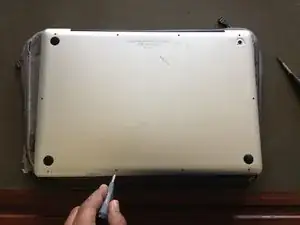
    • Löse die Schrauben auf der Unterseite

  4. w2kcYFgBcn1NyZGR
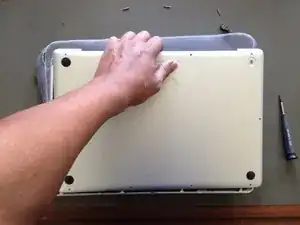
    • Hebe den Bodendeckel vorsichtig ab.

  5. ZgNPrhRDT3aVPRVT
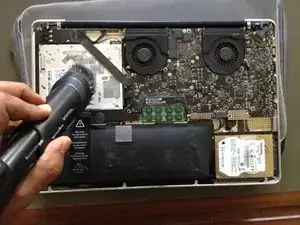
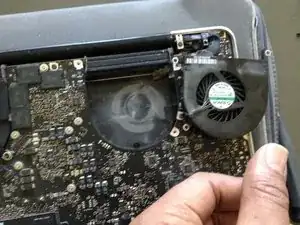
    • Weg mit dem Staub! Ich benutze hierfür einen Staubsauger mit Bürste.

  6. EsMxZHWCxFvOkIWn
    • Das Gerät dürfte so alt sein, dass es keine Garantie mehr gibt. Trenne aber auf jeden Fall den Akku ab und fasse keine elektronischen Teile oder Chips an. Entlade dich von statischer Elektrizität und fasse ein Metallteil an oder trage ein Armband gegen statische Entladungen.

  7. N1VxeHEOOdRGSvJa
    N1VxeHEOOdRGSvJa
    LGQI2IE3lisVcnFD
    OZQMpJntIGbqOVnk
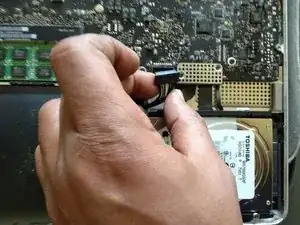
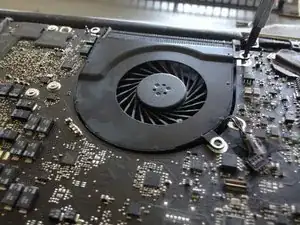
    • Löse den Lüfteranschluss vom Mainboard.

  8. sljZtIrwn1DH4Yfv
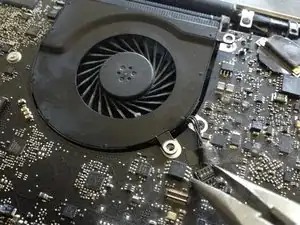
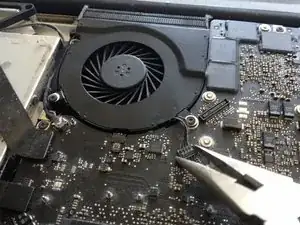
    • Löse die drei Kreuzschlitz-Schrauben des Lüfters

  9. mexG2ZNFdMdDEP5b
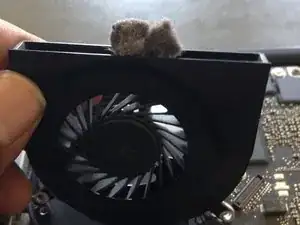
    • Wische den Staub mit einem sehr weichen Papier (z. B. Toilettenpapier) ab

  10. bmOQLxpKCyJNFJrJ
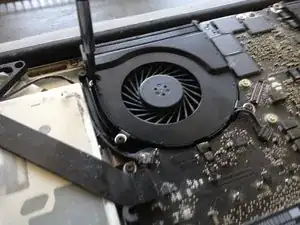
    • Befreie das Innere des Lüfters von Fremdkörpern

Abschluss

Geh beim Zusammenbau in umgekehrter Reihenfolge vor.

LAOMUSIC ARTS

Mitglied seit: 25/02/17

613 Reputation

6 Kommentare

I’d be careful about using a vacuum cleaner on the inside of the computer as it can cause static discharge and zap your components.

pov -

Thanks a lot s

!

Sanzi Gao -

Sanzi Gao - you are welcome!

LAOMUSIC ARTS -

@laomusicarts do you know where I might be able to get an HD-74501 screwdriver. New or Used?

Kendall Lui -

Since my 2008 Macbook Pro has been overheating for a while I tried this. Unfortunately everything inside is quite clean: no dust in the fans or heat-sinks.

The fans run quite well , and get going pretty fast as the device heats up. Any other ideas are welcome, This was a GREAT machine and I miss using it.

Eric Hammond -

Try replacing the thermal paste, did that and my mbp mid 2010 works perfectly! Dosent even have to be expensive paste, I just used some chinesse one and it worked perfectly!

I now see about 78-82C of temperature with the fans making a small amount of noise. Before I saw from 90-98C and the fans were at 100% almost constantly.

Hope this helps!

Leopoldo Alvarenga Leonidas -