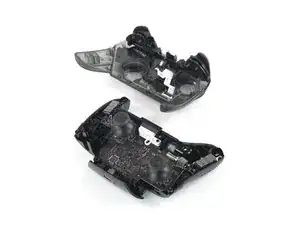
Einleitung

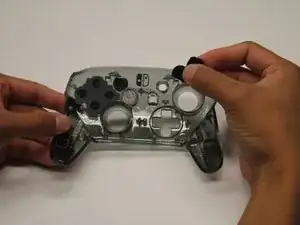
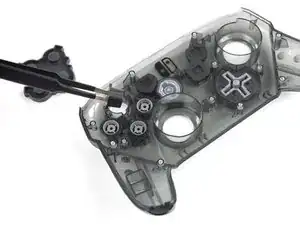
Die Tasten und das D-Pad des Nintendo Switch Pro-Controllers sind die wichtigsten Steuerelemente des Controllers. Die Tasten müssen möglicherweise ersetzt werden, wenn sie nicht mehr reagieren. Weitere Informationen findest du in unserer Anleitung zur Fehlerbehebung.

Achte bei der Demontage auf scharfe Kanten, es gibt ein paar freiliegende Plastikstücke, an denen du dich schneiden könntest.

  1. iaKRfcPV2HNC5yUK
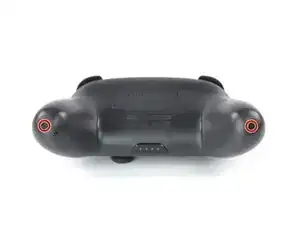
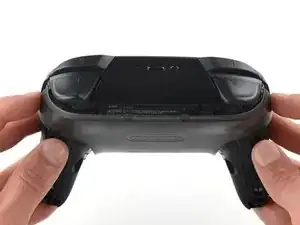
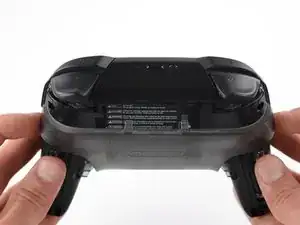
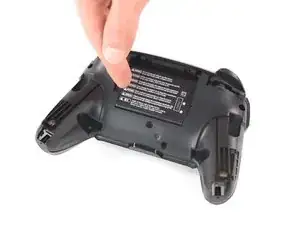
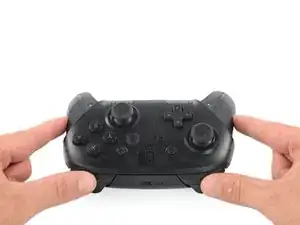
    • Drehe den Controller so um, dass der Aufkleber mit der Modellnummer nach oben zeigt.

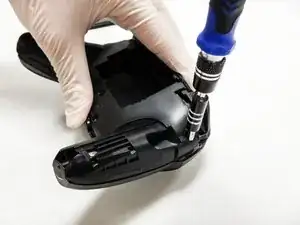
    • Entferne die beiden schwarzen 8,4 mm Flachkopf-Kreuzschlitzschrauben mit einem JIS #00-Bit, mit denen die Handgriffe am Ende verschraubt sind.

    Be carefull, these screws are super easy to strip even with the right tools.

    Lukas Eberharter -

    I tried editing these instructions after I had trouble with stripping screws, but it doesn't seem to take. The issue is that these are JIS and not Phillips screws. They are VERY similar looking but a Phillips head screwdriver will strip the screws.

    Isaac Webb -

    I tried using a Philips #00 screwdriver but it didn’t work

    vincent ingrassia -

    Don't even think about trying Phillips. There are some other guides online that say you'll be fine, but they're wrong. Even one attempt with Phillips WILL strip these, and you will never, ever get this controller open once that happens. Even with JIS they're really hard to get out and really easy to strip.

    Luke T. Allen -

  2. pFHHOlTyvlQ43DOC
    pFHHOlTyvlQ43DOC
    KCE54LsPyGnuWTkW
    UNYZtREEKVfHallZ
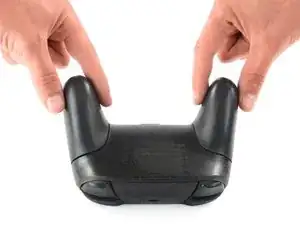
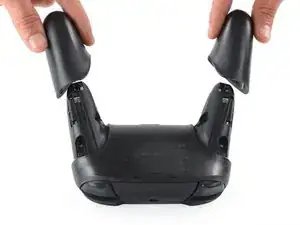
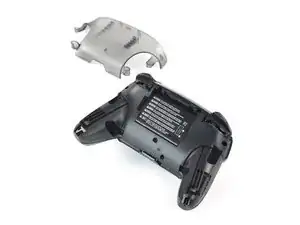
    • Ziehe die Abdeckungen der Griffe vorsichtig vom Controller.

  3. 3OnYDcOU1gVR2fEG
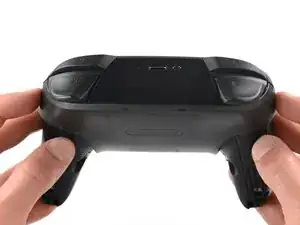
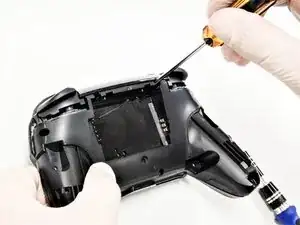
    • Entferne die vier silberfarbenen 6,8 mm langen JIS-Schrauben #00, mit denen die durchsichtige Abdeckung befestigt ist.

  4. Zb3Ool4Evh63KKVd
    Zb3Ool4Evh63KKVd
    E4qBEgOibCQbXlIJ
    jihxJQfDSqclVJnF
    • Löse die durchsichtige Abdeckung mit deinem Fingernagel ab.

  5. p4bHAkTpIvuBFIfc
    • Entferne die durchsichtige Abdeckung.

  6. yUbMYllrTC6sSOGL
    yUbMYllrTC6sSOGL
    6pxWhyQpxoXGbs22
    vEF6WXIGCHUebiZO
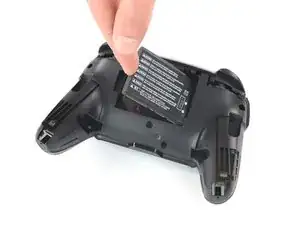
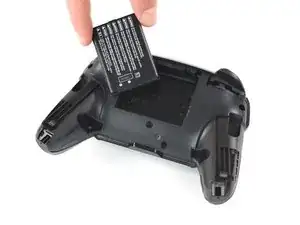
    • Entferne den Lithium-Ionen-Akku, indem du ihn mit deinem Fingernagel oder einem Öffnungswerkzeug an der linken Seite anhebst.

    • Dafür brauchst du nur wenig Kraft.

  7. V5kF4MuHympJyAFM
    V5kF4MuHympJyAFM
    WJ4LvGQlKLhlREns
    IhtOVVcrnx5IBHgJ
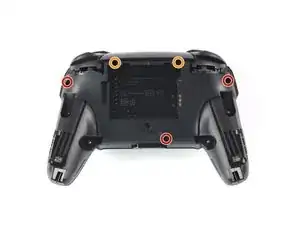
    • Entferne die fünf 6 mm Kreuzschlitzschrauben auf der Rückseite des Controllers:

    • Die beiden Gehäuseschrauben über den Handgriffen und eine Schraube unter dem Akku sitzen nicht sehr tief. Diese Schrauben können leicht entfernt werden.

    • Die beiden Schrauben neben der ZR und der ZL Schultertasten sitzen in tiefen Löchern. Um an sie heranzukommen musst du eine Bitverlängerung oder einen Schraubendreher mit langem Schaft verwenden.

    the 2 screws up at the top are unreachable with the standard fixit kit just a heads up

    drew -

    Seconded. the screws are located too deep below the plastic slot, and the bit holding bulge is too wide for the small aperture (similarly with the flexible extension). the bit length is too shallow to reach.

    An alternative driver with a much narrower & longer shaft is required, which will likely not come with interchangeable bits.

    Douglas Selby -

    I would say it is possible to reach the top left screw, just not the top right - there is a gap in the top left that allows you to slightly bend the standard driver outward to turn it while still making adequate contact.

    El_Mechacontext -

    An update: I was actually able to remove the top right one in a really hacky way - inserting the Phillips #0 bit into the #4 hex bit, and then using that in the standard driver. This added just enough length to successfully reach and make full contact with the screw!

    El_Mechacontext -

    Using the #4 hex bit as an extension was the exact "hack" I needed to get rid of the drift finally. Thank you. You're a lifesaver.

    Das #4 Hex Bit als Verlängerung für das Kreuzschlitz Bit zu nutzen ist zwar etwas eng, aber es erspart einem wirklich einen zusätzlichen Schraubendreher.

    Techn0magier -

  8. PnIrdtdY4KCyxuKK
    PnIrdtdY4KCyxuKK
    ZBKtxPXnhQuBTaDN
    OZcevYGCPPARFaRx
    • In der Mitte jedes Handgriffs gibt es ein Klebepad. Du benötigst etwas Kraft, um sie von der vorderen Abdeckung loszuhebeln, denke an die daran befestigten Flachbandkabel.

    • Nimm die Kunststoffabdeckung des Controllers behutsam ab.

    • Entferne die Abdeckung noch nicht ganz, sie ist noch mit einem weißen Flachbandkabel an der Hauptplatine angeschlossen.

    Didn't realize there is adhesive holding the front cover onto the unit. It's located inside of the handles. Just a bit of force there helped, just be careful of the cable.

    Roger Perez -

    this step is really hard

    XDchlapec -

    You can use a pry tool to pry the part of the top shell covering the handles off the adhesive in order to make this step less like pulling teeth.

    Charlie -

  9. NpVhXDsYSWmW4tBT
    NpVhXDsYSWmW4tBT
    QXe1DlCMuCXbrveX
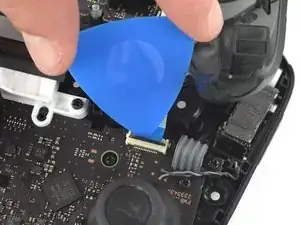
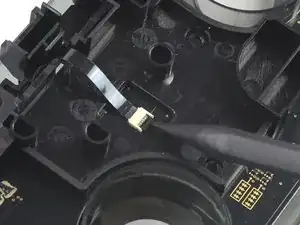
    • Drücke den schwarzen Sicherungsbügel am ZIF-Anschluss mit der Spitze eines Plektrums zum Öffnen nach oben.

    Having just completed this repair, I noted that this ribbon cable can disconnect on either side. It is easier to disconnect and reconnect from the other side than what is shown in my experience.

    acestronautical -

    @acestronautical is right! much easier to remove the ribbon cable from the button board, connect to the base board and then connect back to the button board. Thank you @acestronautical

    Joe Rickerby -

  10. 3qj6VtFJtKAHHm6I
    3qj6VtFJtKAHHm6I
    YJvaLXngDhvHF1Gr
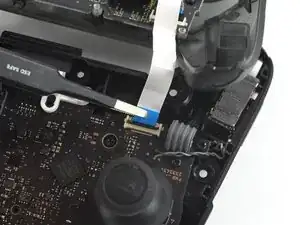
    • Löse das Verbindungskabel mit deinen Fingern oder einer stumpfen Pinzette aus seinem Anschluss.

    You don't need to disconnect this as long as you are fine with keeping it close by so as not to rip the ribbon cable.

    Caden Helm -

  11. OpC2vBHXBB35uAQ4
    • Entferne das vordere Gehäuseteil.

  12. d2TaQbKySN1dMQ4M
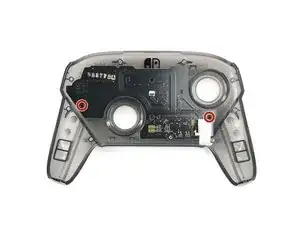
    • Entferne die zwei 6,8 mm langen Schrauben auf der oberen Platine mit einem Kreuzschlitzschraubendreher #00.

  13. GuqsGsnEcB2nVvxX
    GuqsGsnEcB2nVvxX
    RVyZNQZQ3Depk22x
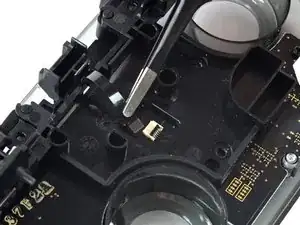
    • Nutze einen Spudger, um den Verriegelungsbügel am ZIF-Stecker zu öffnen.

  14. tlAmOo6KaKA6USWf
    tlAmOo6KaKA6USWf
    6GTbU2NmR3QpSBZC
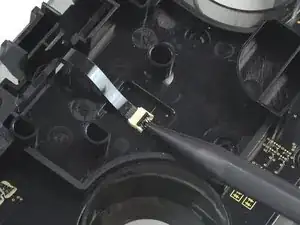
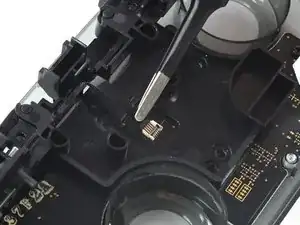
    • Entferne das schwarze Flachbandkabel vom Steckverbinder.

    • Es sollte nur eine kleine Menge an Kraft nötig sein, um das Kabel zu entfernen.

    What do I do if the connector snaps off? Is it fixable with solder or electrical tape or should I give up hope?

    Jack Frost -

    This ribbon cable is difficult to reconnect, quality tweezers are required. I was unable to slide the ribbon cable in to where I could no longer see the traces. Take note of how much ribbon cable is exposed before disconnecting so that you can have an easier time judging when the cable is fully inserted upon reconnecting.

    acestronautical -

  15. ZHXWOMSOZhgEMnTA
    ZHXWOMSOZhgEMnTA
    PgCpkYRsAuKmefFR
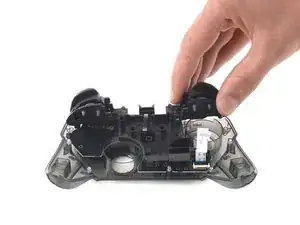
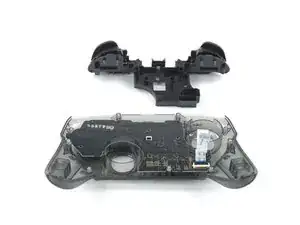
    • Entferne die Trigger-Knöpfe vom Kunststoff-Gehäuse.

  16. mQAqc4XVQEAXj2aA
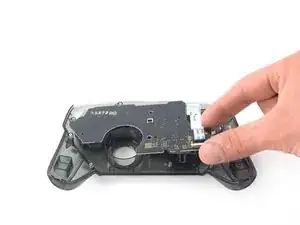
    • Drehe die beiden 5 mm langen Kreuzschlitzschrauben heraus, mit denen die Leiterplatte befestigt ist.

    There’s one more screw - in this picture, on the left. The junction of the body and left grip, right behind the ABXY buttons.

    Matt Rausch -

    Hi @mattrausch, thanks for your comment. You're right, the circuit board is held by two screws. I've updated this step.

    Adriana Zwink -

  17. TTTr1KChNOYWXFKp
    TTTr1KChNOYWXFKp
    IDKsaYYfvja4ScD6
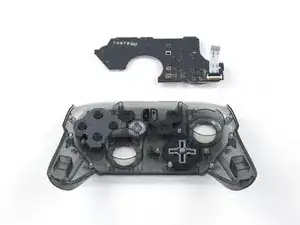
    • Entferne die Leiterplatte.

  18. nTK2XeUsHIKxc31d
    nTK2XeUsHIKxc31d
    jqL5prVnGkp5QBPi
    25iVGNLUX1gUS6wZ
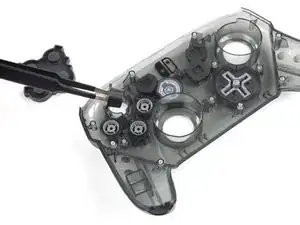
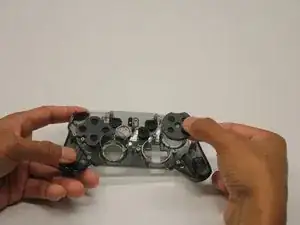
    • Entferne die Taste, die du ersetzen möchtest mit den Fingern oder einer Pinzette. Ziehe sie dazu aus ihrer Öffnung heraus.

Abschluss

Um dein Gerät wieder zusammenzubauen, folge diesen Anweisungen in umgekehrter Reihenfolge.

James Seidlinger

Mitglied seit: 10/10/19

667 Reputation

3 Kommentare

On re-assembly, you may have trouble getting the top circuit board and shoulder button support structure to snap into place. It’s easiest to get the circuit board around the right analog stick hole, and push it all the way down until it is in place, then to secure the shoulder button support structure.

Make sure the “Home” button clear plastic light spreader (a clear irregular circle-shaped piece) is in place on top of the home button assembly, or it will give the home button a “sunken” appearance.

nclee -

Worked well, thank you. Had a gooey X button that needed to be cleaned.

Anthony Peacock -

What about the sync button? I've been scouring the Switch Pro Controller guide all day but there's nothing on how to remove the sync button! Mine is in really bad shape from having to use paperclips to press it but i can't find a guide to repair it anywhere.

faye kim -