Einleitung

Wenn Fernbedienungen nicht mehr funktionieren, liegt es oft daran, dass aus den alten Batterien die darin enthaltene Batteriesäure ausläuft und die Kontakte korrodiert.

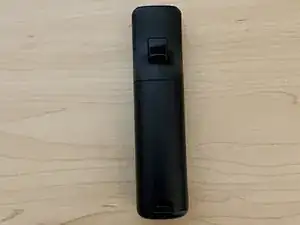
Mithilfe dieser Anleitung kannst du sie zerlegen und die korrodierten Kontakte deiner Nintendo Wii Fernbedienung reinigen.

Wegen der ausgelaufenen Batteriesäure solltest du einige Sicherheitsvorkehrungen beachten, etwa Handschuhe zu tragen und die alten Batterien ordnungsgemäß zu entsorgen.

Wichtig ist noch anzumerken, dass diese Anleitung nicht nur dabei hilft Korrosion aufgrund von ausgelaufenen Batterien zu entfernen, sondern auch solcher aufgrund von Wasserschäden.

  1. XfYCS4dsNtsrBnqF
    XfYCS4dsNtsrBnqF
    CDDSrDdMaOH3Zl1M
    x1XuBKfntVElJHQf
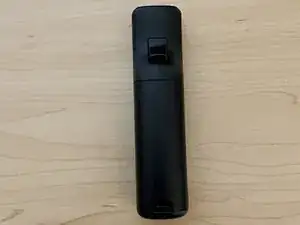
    • Entferne Batteriedeckel und Batterien.

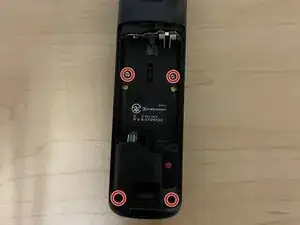
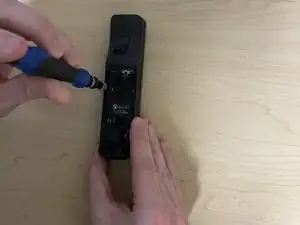
    • Entferne die vier Tri-point Y1 Schrauben, die die Fernbedienung zusammenhalten.

  2. AIVfohmCqpnbQIyX
    AIVfohmCqpnbQIyX
    T2Y3P3iyhQauGTyx
    c1w3fqRFLtJevoZC
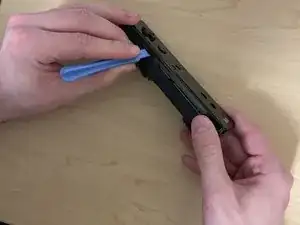
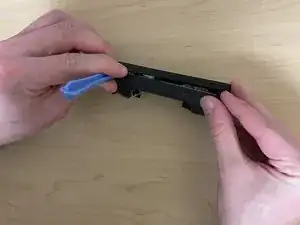
    • Drücke mit einem Öffnungswerkzeug auf die Laschen nahe bei der "A"-Taste.

    • Die Laschen können brechhen, die Fernbedienung funktioniert aber auch ohne sie.

    • Entferne die vordere Abdeckung.

    Tabs are not near the "A" Button. They're closer to the front, and are located just past the horizontal part of the 4-way directional pad.

    jgsenecal -

    The tabs will definitely 100% break :(

    shadowimmage -

  3. u3q3F126dQOyfHUb
    u3q3F126dQOyfHUb
    6U6SvDxW3vTlPE1Z
    2GEf6BcWNTZKJRWn
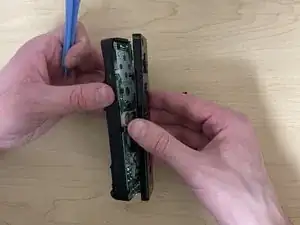
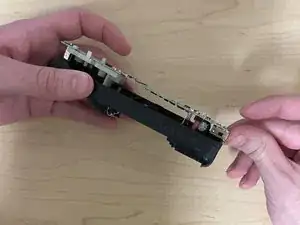
    • Um die Hauptplatine zu entfernen, drücke sie an der "B"-Taste hoch, dann auf den Anschluss am unteren Ende.

  4. HEN3NKHlbfojUjpq
    HEN3NKHlbfojUjpq
    L3YOA3Cin63qBCx2
    6uLfslBte3AXcuSl
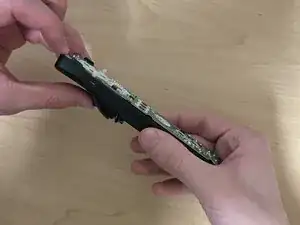
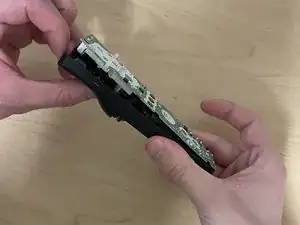
    • Löse die Rasten am Kunsstoffteil, damit du es entfernen kannst.

    • Schiebe den Vibrationsmotor auf der Rückseite aus dem Weg und entferne das Kunststoffteil.

  5. SKTgVNH31Fu4PE3y
    SKTgVNH31Fu4PE3y
    3f3ToUWV3MEvBtWI
    Lm4pBkUbpDKBVMWe
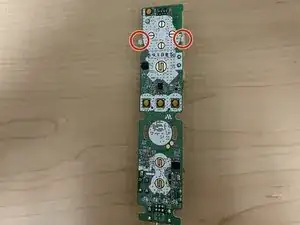
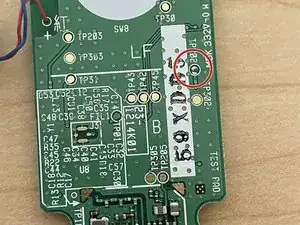
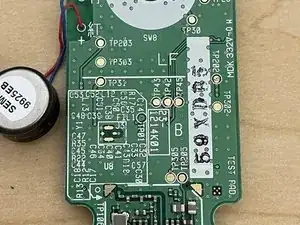
    • Untersuche die Hauptplatione auf Spuren von Korrosion.

    • Korrosion hat einen bläulichen Schimmer und kann an verschiedenen Stellen zu finden sein.

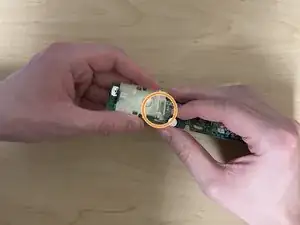
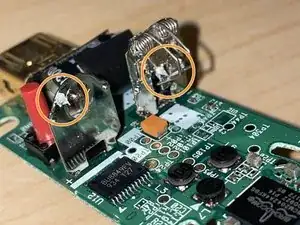
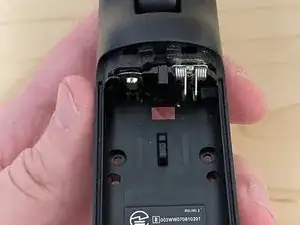
    • Untersuche die Batterieanschlüsse auf Korrosion.

    • Insbesondere wenn die Batterien ausgelaufen sind, können die Anschlüsse korrodiert sein.

  6. jeYlDQTGPRZu4nYh
    jeYlDQTGPRZu4nYh
    mEaACDueTFxIFAOn
    4DGV3ORNywypvK6F
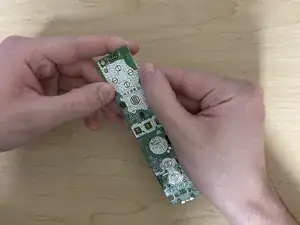
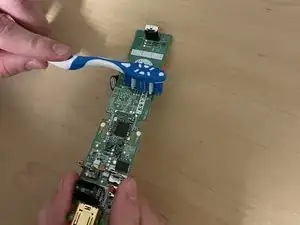
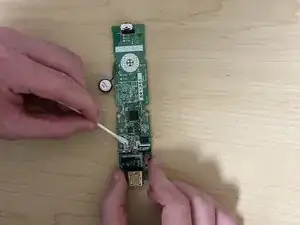
    • Reinige die korrodierten Stellen mit Isopropylalkohol und einer Zahnbürste.

    • Anstelle einer Zahnbürste kannst du auch Wattestäbchen verwenden.

    • Die Platine sieht danach vielleicht nicht perfekt aus, aber die Fernbedienung funktioniert danach wieder.

  7. b51SiDTGEtnSw16R
    b51SiDTGEtnSw16R
    CdqJwSMxRpNkbNkT
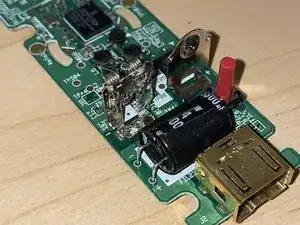
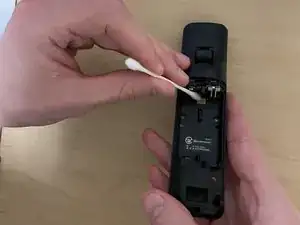
    • Reinige die Anschlüsse mit Isopropylalkohol und einer Zahnbürste oder Wattestäbchen.

    • Wenn das Teil zu schwer zu entfernen ist, dann reinige es so gut du kannst. Eventuell musst du etwas mehr Alkohol benutzen.

    you can easily remove the piece when the wiimote is deconstructed. The metal piece is attached to the B button side of the wii mote (battery part). when flipped over you can see inside the back (battery) part of the wiimote in the middle of that metal piece there is a hole where a metal nub sticks out from that metale plate, that's what keeps it stuck there. You need to use a long, flat and slim part to push that nub inside and out from that little plastic socket. To help get that metal nub outside of that plastic socket/hole you can pull on the front side of the wii mote (battery part) that plastic rectangle in the middle where the nub is hidden to help get the nub further out from that socket. Once the metal nub is out you can then just pull the metal plate out. (Pliers recommended) also I used cleaning vinegar after brushing that battery leak crust instead of isopropyl worked also like a charm.

    Mind you I used vinegar on the metal part where the battery is placed luckily the battery leak didn't affect the motherboard. I wouldn't know if vinegar would work on the motherboard, I don't think that would be recommended to use vinegar with that.

    Tuinh Nguyen -

    There is a "slick" method to remove the combined battery terminal, which is pushing the plate through the slot, as shown in this video (timestamped):

    https://youtu.be/6U0nfYUxhPE?t=175

    There is also a "rough" method, as shown in this video (timestamped):

    https://youtu.be/aXL-fw7B_Bg?t=43

    I've used the former method, but I haven't used the latter.

    Tai Lam -

Abschluss

Um dein Gerät wieder zusammenzubauen, folge den Schritten in umgekehrter Reihenfolge.

Stefan Kula

Mitglied seit: 21/03/21

721 Reputation

5 Kommentare

Would 99% Isopropyl Alcohol also be okay to use as cleaner?

Mirela -

Of course, I use this for cleaning every type of motherboard, the difference between 99% and 70% is that the solution contains less water, so the liquid evaporate in less time :)

ReDeath_ -

https://amzn.in/d/2XzswFN

Is this okay for use on motherboard??

Also can it damage the plastic or foam pieces if accidentally spilled?

I am new to repairing stuff like this so help will be appreciated

Aeron Brar -

You linked to 99.9% isopropyl alcohol. Alcohol shouldn't damage the hard plastic or the motherboard, as long as you don't drench the whole motherboard in alcohol.

Also, if you're talking about the small pieces that help the battery cover stay on (the 2 that are diagonally positioned from each other), then you might not have to worry if those small inserts are actually not made of foam in Wii remotes. However, in 1 Wii remote that I worked on, those pieces were made of foam. However, cleaning them should be fine as long as you don't rub away on those pieces too roughly.

Tai Lam -

To prevent corrosion in the future after removing corrosion from affected Wii remotes, I would recommend using rechargeable AA batteries: so, nickel metal hydride (NIMH) instead of alkaline.

This is because there NIMH batteries will not leak when used properly under the same typical conditions that alkaline batteries do. NIMH batteries are slightly heavier compared to alkaline batteries, but I think the trade-off is worth it. I have done this battery type conversion for another item that constantly faces risks from leaking/corroding alkaline batteries: using the TI-84 Plus or TI-89 Titanium graphing calculators.

Source: this video from YouTube comparing alkaline and NIMH batteries.

Tai Lam -