Einleitung
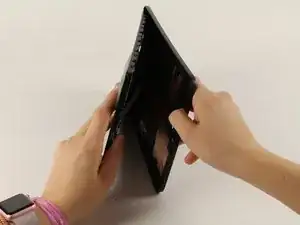
Hier wird der Ausbau des Rückteils gezeigt. Dies ist oft eine Voraussetzung für weitere Reparaturen.
Werkzeuge

Ersatzteile
-
-
Lege das Gerät mit der Vorderseite zu dir.
-
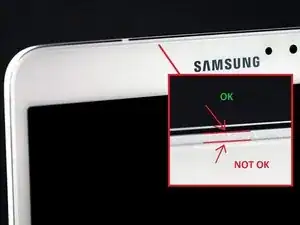
Fange an einer der abgerundeten Ecken an. (Vergleiche mit Bild 2).
-
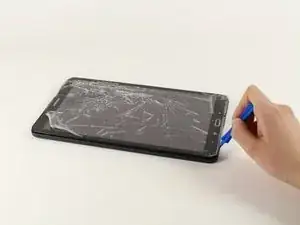
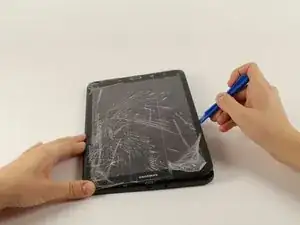
Setze ein Plastiköffnungswerkzeug zwischen Vorderteil und Rückteil.
-
-
-
Wenn du das Werkzeug einsetzen konntest, dann schiebe es rings um das Gerät, um die Teile zu trennen.
-
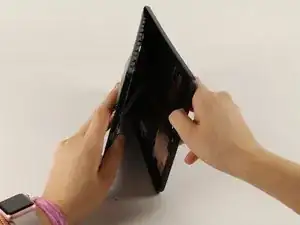
Hebe den Rückdeckel vom Gerät weg.
-
Abschluss
Um dein Gerät wieder zusammenzusetzen folge den Schritten in umgekehrter Reihenfolge.

Ein Kommentar
Why need to remove cables when only the back has to be replaced ?
nabe_03 -
AWESOME!! I was trying to open it from the “NOT OK” place and you saved me to broken the screen… thanks!!
David Leiva -
No problem, enjoy.
Roger L. Ortiz -
Felt it was easier for me to do it from the middles out.
Tanin Garcia -
@rogerlortiz You two seem to be miscommunicating. The author points out the location between the digitizer and frame in which to place a tool. While @Tanin Garcia, whom no longer seems to be member, was pointing out where along the edge from corner to corner it was best to start the separating process.
B. A. Computer Services -
Important: the display is sourrounded with a plastic frame. You need to get beween this frame an the backcover (not directly at glass edge as I tried it first and almost broke the glass). Get a closeup picture of it to clarify.
Oliver Dawid -
wer lesen kann, ist klar im Vorteil - ich hab die SD-Karte drin gelassen. Hat aber funktioniert…
Thomas Wolter -
Don’t use a very small flathead screwdriver as a spudger. Just shattered the screen :(
nikvoss -
Yes, shattered the screen. To the garbage, it goes. A little knowledge is a dangerous thing. This a repair better suited for a professional repair! Thanks for helping me make the decision to get another one!
vancega -