Einleitung
Behandle alle elektronischen Bauteile während der Reparatur mit größter Vorsicht.
Werkzeuge


Ersatzteile

-
-
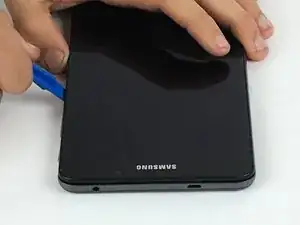
Setze ein Öffnungswerkzeug aus Kunststoff in eine der Ecken zwischen Rückseite und Vorderseite ein.
-
Schiebe das Werkzeug rund um das Tablet herum, bis sich die beiden Teile voneinander gelöst haben.
-
-
-
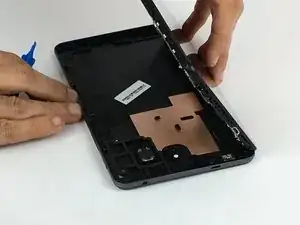
Hebe die Rückseite vorsichtig von der Vorderseite ab.
-
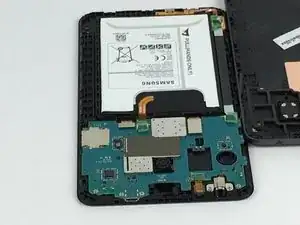
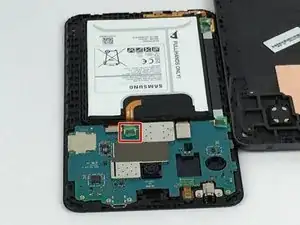
Nun sind die inneren Bauteile sichtbar.
-
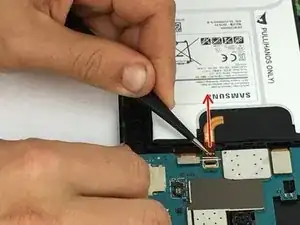
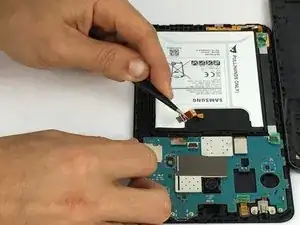
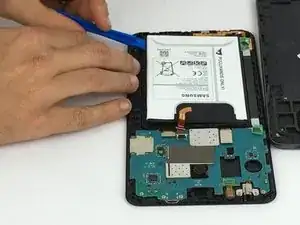
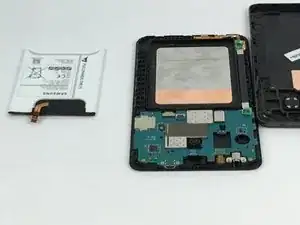
Um dein Gerät wieder zusammenzubauen, folge den Schritten in umgekehrter Reihenfolge.

5 Kommentare
I found there was a layer of double-sided tape backing the battery, and I had to use a flathead screwdriver to get enough force to lever it up. This does not significantly change the guide.
brunius -
It would be nice if you showed which side to remove.
The OEM battery in my device expanded and pushed the screen from the housing. I had to temporarily separate the screen from the housing while leaving the connectors in their sockets while I pried the front housing from the back to reveal the battery. Once the front and back of the chassis were separated, I reattached the screen to the front housing and continued with the procedure. A heat gun made the process much easier by loosening the tape between the screen and housing, but was not necessary to lift the battery or separate the front from the back of the chassis.