Einleitung
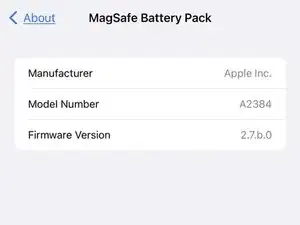
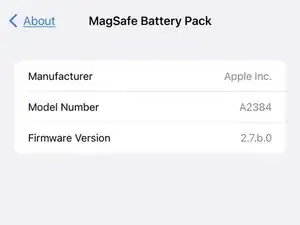
Die Teilenummer und Firmware-Version eines MagSafe-Batterie-Packs kann man in den iOS-Einstellungen überprüfen. Dies ist auch eine gültige Prüfung, ob es sich um ein echtes Apple-Produkt oder eine Fälschung handelt.
-
-
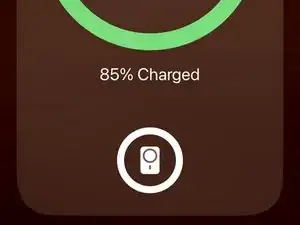
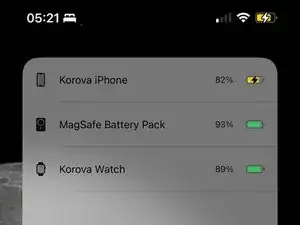
Auf dem Bildschirm wird ein Popup angezeigt, das auf das Vorhandensein des Akkus hinweist. Das Popup zeigt Folgendes an:
-
Der Ladezustand des iPhones (Symbol und Prozentsatz).
-
Der Ladezustand des Akkus (Symbol).
-
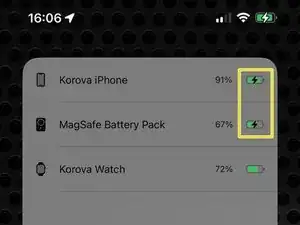
Gibt an das das Iphone das Landen akzeptiert.
-
Die Startbildschirm-Widgets für den Akku zeigen den Ladezustand des Akkus an. Das Widget kann auch anzeigen, ob der Akku aufgeladen wird (z. B. per Kabel oder durch Rückwärtsladung).
-
-
-
"Einstellungen" öffnen.
-
Bis nach unten zu "Allgemein" scrollen und darauf klicken.
-
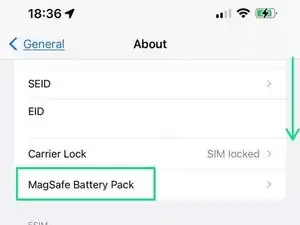
Suche "Über" und klicke darauf.
-
Scrolle nach unten zum Abschnitt "Wireless", in dem das MagSafe Battery Pack aufgeführt ist (iOS 16.5). Klicke es an.
-
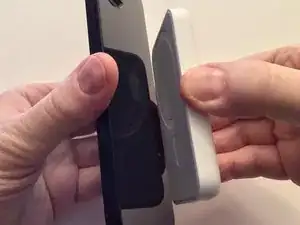
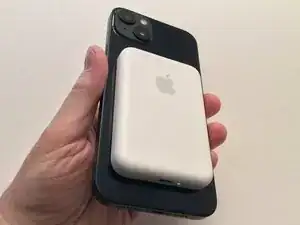
Weitere Informationen zur Verwendung des MagSafe-Batteriepacks findest du im Apple KB-Artikel.

The MagSafe Battery Pack and the MagSafe Leather Wallet With Find My Support (both Apple) are the same size. On the 14 Plus, the onscreen indicator when connecting either is the same size as the accessory.
Can anyone with another size of 12, 13, or 14 (non Plus or Pro Max size) test and confirm. Again, Either the Wallet or Battery Pack will do. (FYI, the paperwork insert with the Leather Wallet is the same outline as the devices.)
David Spalding -