Einleitung

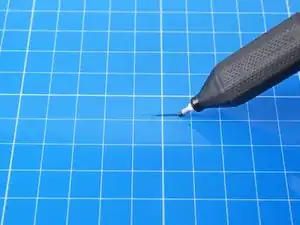
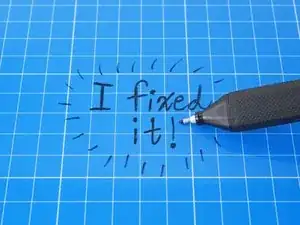
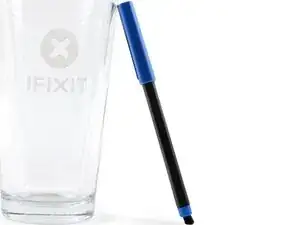
Nutze diese Anleitung, um deinen ausgetrockneten Filzstift wieder fit zu machen.

Achtung: Je nachdem, wie trocken dein Stift ist, musst du diese Prozedur ein paar Mal wiederholen.

  1. yr2q3BpX3f2QDulX
    yr2q3BpX3f2QDulX
    tS6jBTehYULhfj4K
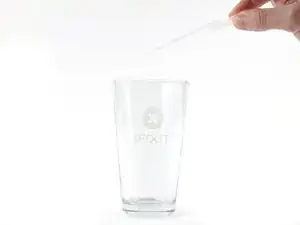
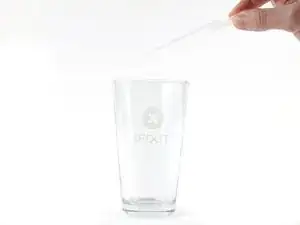
    • Träufle so viel Isopropylalkohol in eine Tasse, dass du die Spitze deines Stiftes komplett eintauchen kannst.

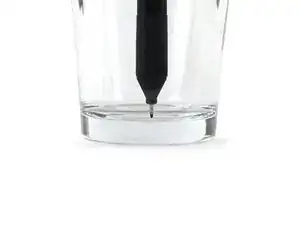
    • Setze den Stift mit der Spitze nach unten in die Tasse.

    • Halte den Stift aufrecht, damit nur die Spitze benetzt wird.

    • Warte 15 Minuten, damit der Alkohol in die Spitze einziehen kann.

  2. T21GCq3rCYYOAuZP
    T21GCq3rCYYOAuZP
    g36HQRmXHMFmS52P
    LJQbKJXEeOMDOYZ3
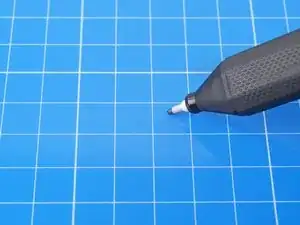
    • Nimm den Stift aus der Tasse und wische überschüssigen Alkohol ab.

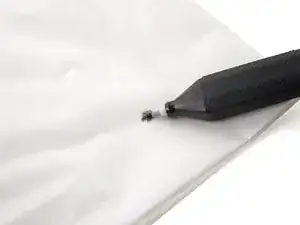
    • Bewege deinen Stift auf der FixMat oder einer anderen abwischbaren Oberfläche hin und her, bis der Alkohol aus der Spitze tritt.

    • Drehe dabei den Stift, damit die Spitze von allen Seiten bearbeitet wird.

    • Wenn kein Alkohol herauskommt, wiederhole Schritt 1.

  3. DsLEZgfVg2DLs3br
    DsLEZgfVg2DLs3br
    1NthaJSNYJUhxgdA
    • Träufle so viel Wasser in eine Tasse, dass du die Spitze deines Stiftes komplett eintauchen kannst.

    • Setze den Stift mit der Spitze nach unten in die Tasse.

    • Halte den Stift aufrecht, damit nur die Spitze benetzt wird.

    • Warte 30 Minuten, damit das Wasser in die Spitze einziehen kann.

  4. d4eNIeNXPf5QMRvh
    d4eNIeNXPf5QMRvh
    H2aPGHAeE1vG4qkc
    KuNf3yS4xUlVnHLQ
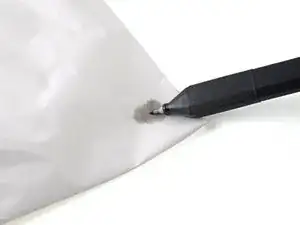
    • Nimm den Stift aus der Tasse und wische überschüssiges Wasser ab.

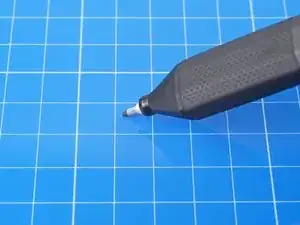
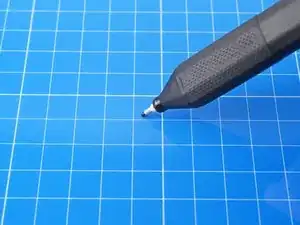
    • Bewege deinen Stift auf der FixMat oder einer anderen abwischbaren Oberfläche hin und her, bis der Stift wieder schreibt.

    • Drehe dabei den Stift, damit die Spitze von allen Seiten schreibt.

    • Wenn keine Tinte herauskommt, wiederhole den vorherigen Schritt.

  5. jwJXTH1bIH3cpZKC
    • Gratulation! Dein Stift geht wieder!

    Brand new pen turned up dry and this fix didn't work.

    Paul Nevin -

    My pen has been iffy for quite a while—not dried out, but writing poorly. One round each of isopropyl and water have got it working beautifully.

    Brad Compton -

Abschluss

Für mehr Kenntnisse im Elektronikbereich klick hier.

Alex Diaz-Kokaisl

Mitglied seit: 16/01/22

168562 Reputation

10 Kommentare

Unfortunately this did not help for me.

Sven Alleblas -

This is such a great pen I wish I could find replacements.

lupinm -

Apparently this pen that comes with the FixMat cannot be purchased, but is covered by the lifetime warranty. Send an email to support@ifixit.com to get replacement pens.

P.S. It's called the iFixit Marking Pen

Andrew Chen -

Same for me, I repeated the guide 3 times, it didn't helped, I wish I could just open it and use a replacement, it's cheap to buy but I feel bad of throwing everything, and also the pen dries super fast I think I need to buy another one and just glue some metal plate to use with the I fix it magnetic mat

thematho -

See my reply above

Andrew Chen -

Echoing the consensus that this did not work for me - will be seeking warranty replacement.

Fevix -

Seems to have done the trick, thanks. It was a brand new pen and must've dried out on the shelf.

Further tip:

If you wrap a pair of tweezers around it, and lay the tweezers across the top of a glass, it's pretty easy to stand the pen perfectly upright, even if it's a short+wide glass.

Sam L. -

Update: the fix only lasted a few days. It's dried out again. The cap may have been slightly loose though (friction fit, not clicked into position).

Sam L. -

I received a replacement from ifixit wich is great but I ended up having the dame problem and this guide also using comments suggestions didn't work, I'm not going to request more replacement because I think it's a product fault, and I don't want to generate more waste If they make a new oen and sell separate I'll be happy to purchase

thematho -

This worked for a few seconds, but then It just stopped, and wouldn't work afterwards. I attempted this fix 3 more times, to no avail. Will attempt to get a replacement.

AdamG -