Einleitung
Folge dieser Anleitung, um die Festplatte deines iMac durch eine SSD aufzurüsten, indem du einen aktualisierten 2,5 bis 3,5" Metall-Einschub verwendest. Diese Anleitung beinhaltet die Schritte zum Einbau des Temperatur-Sensors, sodass die Lüfter deines iMac mit der korrekten Schnelligkeit laufen.
Dies ist nur eine grundständige Anleitung und ist nicht dazu gedacht eigenständig benutzt zu werden. Diese Anleitung ist Teil der Anleitungen zum Austausch der iMac HDD.


-
-
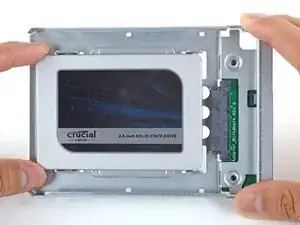
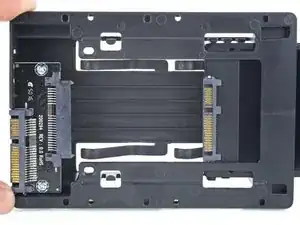
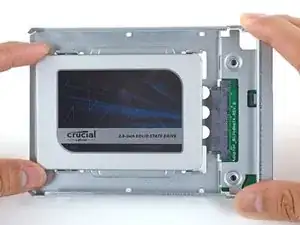
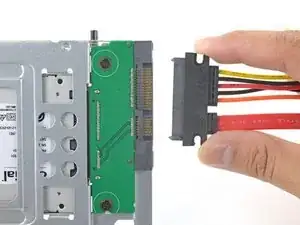
Richte die Steckkontakte der SSD mit den Anschlüssen des Metall-Einschubs aus.
-
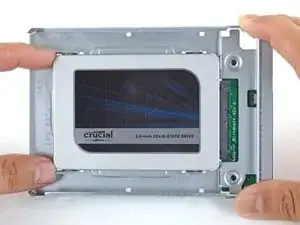
Drücke das Laufwerk fest gegen die Anschlüsse des Einschubs, bis die SSD gut sitzt.
-
-
-
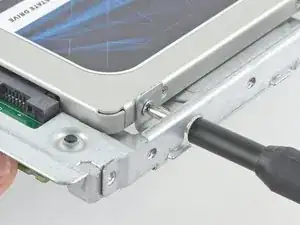
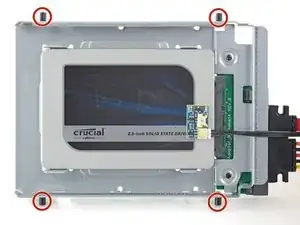
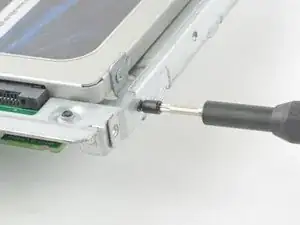
Benutze einen Kreuzschlitzschraubendreher, um die vier silbernen Schrauben (zwei auf jeder Seite) an den Kanten der SSD einzusetzen, um sie am Einschub zu befestigen.
-
-
-
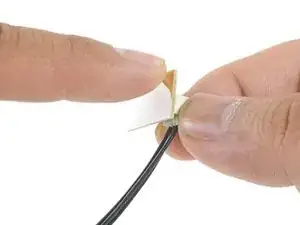
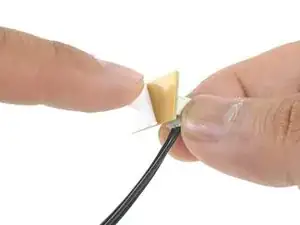
Ziehe die weiße Schutzfolie von der kleinen Platine des Thermosensors ab, so dass die Klebefläche frei wird.
-
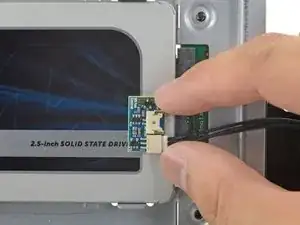
Bringe die Platine an einer freien Stelle der Metalloberfläche der SSD nahe beim SATA-Anschluss an.
-
Biege die überschüssigen Kabel des Thermosensors aus dem Weg, so dass sie den Einbau des Einschubs nicht behindern.
-
-
-
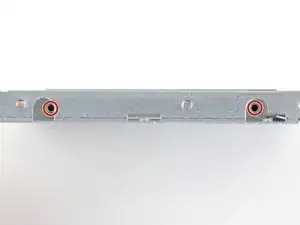
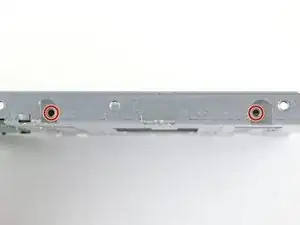
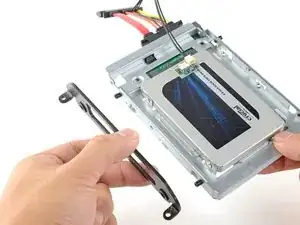
Übertrage die Montagestifte der alten Festplatte mit Hilfe eines Torx T8 Schraubendrehers auf die Seiten des Einschubs.
-
-
-
Übertrage alle Halterungen, die an der alten Festplatte angebracht waren, auf den Einschub.
-
-
-
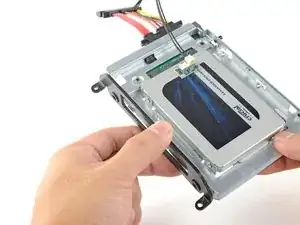
Schiebe den SSD-Einschub anstelle der alten Festplatte ein.
-
Führe die Kabel so, dass sie keine anderen Bauteile stören.
-

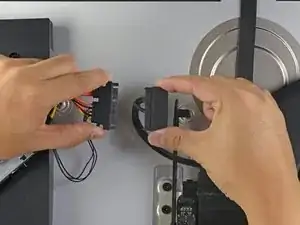
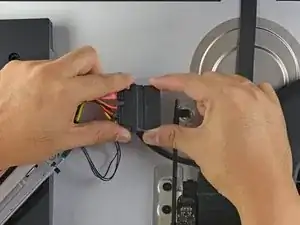
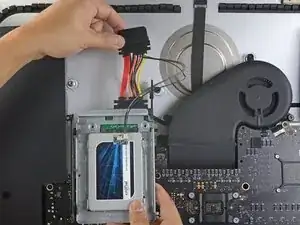
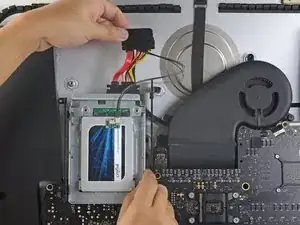
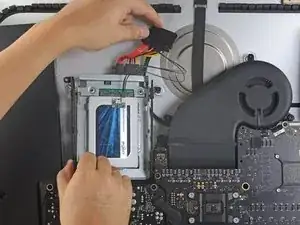
Um dein Gerät wieder zusammenbauen, folge den Schritten in umgekehrter Reihenfolge.

what if I’m installing a hard drive?
Troy Garcia -
Didn’t bother with the SSD caddy. Some 3M sticky pads did the trick!
James Clive -
Been using them for years...works great.
Michael Maxson -
Two thoughts on SSD replacement/upgrade:
1) It would help if some references were made to help us determine what we need in terms form factors. I’ve never used an SSD and see a 2.5” one that would work, but I don’t know if 2.5” SSDs are different (in form factor) from 2.5” HDs. A lot of us are still learning about SSDs and isn’t that what this site is about? (Learning new things about hardware and using hardware?)
2) I’m not clear if I definitely need a new temperature sensor if I put in an SSD or if
Hal Vaughan -
Can I buy the kit without the SSD. I'm thinking of replacing my 3TB hard drive with a 4TB SSD.
Also, would you happen to know what the maximum hard drive dimension that can fit inside of this iMac? I may try a 14TB hard drive instead.
Larry -
A 14Tb HDD does not represent any problem. But I will care about rising temperature. Must attach a heat sensor. If rise to high, it will suddenly shutdown to protect it.
Neos Marketing -
Is it possible to have some reference of compatible SSD please?
I would like to replace the HDD from my Fusion drive, Imac 5K late 2014, by a SSD.
But i don't know which model should i take, and there is no recommandation on this website :(
thanks in advance
Nathan André -
Is it possible to use an M.2 NVMe SSD with an adapter (mount) for a 2.5" SATA SSD instead of a SATA SSD?
Kirill Legion -
Great tuning set and tutorial.
With the new SSD my late 2012 iMac feels like 10 years younger now! :-)
The only things to mention:
- before starting read the whole tutorial very carefully!
- prepare your working place
- take enough time for each step!!
Chris Wagner -
Has anyone used a Samsung 870 EVO SATA 2.5”?
Mark -
yes, i replaced the fusion drive with the samsung 870 evo. works great!
foto fuzzi -