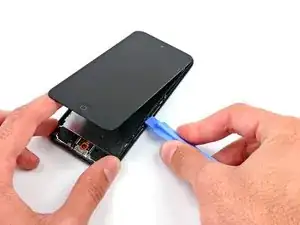
Einleitung

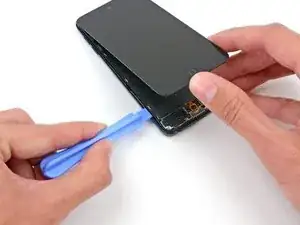
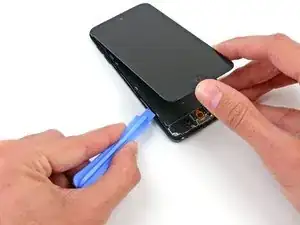
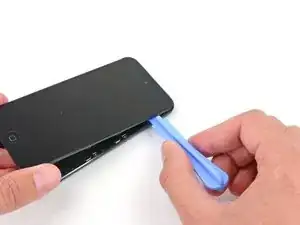
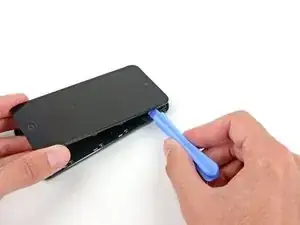
Verwende diese Anleitung, um den Home Button in deinem iPod Touch auszutauschen.

  1. DXpoIFFtNjT3dOx4
    DXpoIFFtNjT3dOx4
    avx1b2VIF6fYH2NM
    CV2YITeFQnfwPVTR
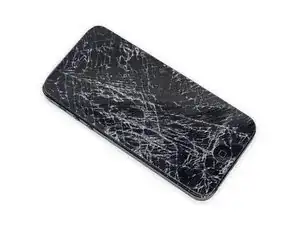
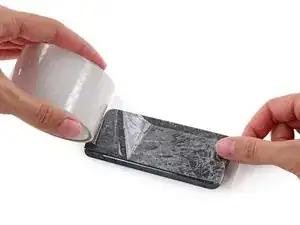
    • Wenn dein Display gesprungen ist, klebe das Display mit Klebeband ab, um zu vermeiden, dass das Display weiter bricht und du dich möglicherweise daran verletzt.

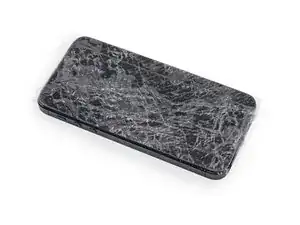
    • Klebe mehrere überlappende Schichten durchsichtigen Klebebands auf das Display des iPods bis das ganze Display bedeckt ist.

    • Das Abkleben des Displays verhindert, dass das Display weiter bricht und stabilisiert das Display beim Lösen vom Gehäuse.

    • Trage eine Schutzbrille, um deine Augen vor Glassplittern zu schützen.

    Any repair guides for front camera?

    ipod touch 5th generation front camera freezes then returns to rear camera. This happened after replacing battery. Any ideas? Tried hard reset & restoring. Nothing worked.

    Libby -

  2. STUdOtPncgKVsjDI
    STUdOtPncgKVsjDI
    2tv3ctdqy4KrKx5Q
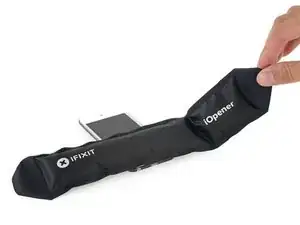
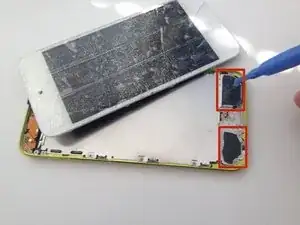
    • Verwende einen Fön oder bereite einen iOpener vor und lege diesen für ca. eine Minute auf das unteren Ende des iPods, damit sich der Kleber an dieser Stelle löst.

    • Das untere Ende des Displays (nahe dem Homebutton) ist mit starkem Kleber mit dem Gehäuse verklebt.

    • Möglicherweise musst du das Display während der folgenden Arbeitsschritte nochmals aufwärmen, damit der Kleber weiterhin warm und flexibel bleibt.

  3. 5wNYMJJ1QTbAKQPT
    5wNYMJJ1QTbAKQPT
    KZxd36ixMtO45EwC
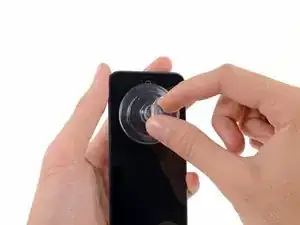
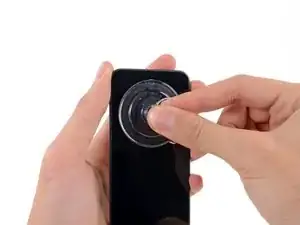
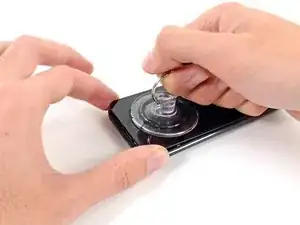
    • Setze einen Saugheber mittig auf das untere Ende des Displays, wobei sich der Rand des Saughebers über dem Homebutton befinden sollte.

    • Drücke den Saugheber gut auf das Display und achte darauf, dass dieser gut hält.

    Be very careful. I have bought the ifixit kit. Tried with the suction cup and it didn’t work. None of the tools actually helped. Follower the instructions carefully and still ended up with a cracked screen. I wish I could go back in time and not doing any of this. I literally just cried and have no money for a new screen.

    César Rodrigues -

  4. D6a3kERyis4ROfRX
    D6a3kERyis4ROfRX
    cBWlIkRsKfBxEstH
    umf1afUIdpCn2LAY
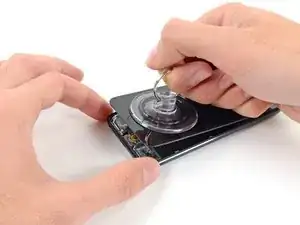
    • Drücke den iPod auf einen Tisch oder eine Bank.

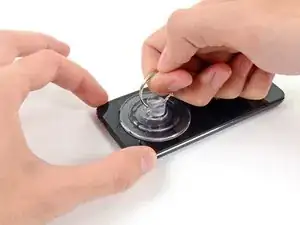
    • Lege deinen Daumen und Zeigefinger auf die unteren Ecken des Displays, um zu verhindern, dass sich das Display zu weit öffnet, nachdem sich der Kleber gelöst hat.

    • Hebe den Saugheber an und ziehe diesen in Richtung oberes Ende des iPods. Sei geduldig und ziehe gleichmäßig fest, bis sich der Kleber löst und das Display sich von dem Gehäuse trennt.

    • Möglicherweise musst du erneut etwas Hitze verwenden, um den Kleber lösen (vor allem in kälteren Regionen). Wenn der Kleber wie Käsefäden von einer Pizza herunterhängt, kannst du ein dünnes Rasiermesser verwenden, um den Kleber abzutrennen.

    • Wenn das Display beginnt, sich vom Rahmen zu lösen, sei vorsichtig, dass du das Display nicht mehr als ungefähr einen Finger breit anhebst – ein dünner Plastikrahmen verbindet immer noch das Display mit dem Gehäuse.

    Step 2.5: Recover iPod from far side of the room due to suction assisted throwing.

    thanks, Apple

    Dave Davidson -

    Did as shown, button switch works fine, when I reinstall button, it's like it won't touch the switch to engage.

    What next?

    Gary Aguilera -

    I've got the same problem, managed to get the screen off, transferred the little steel plate to the new home button and put it in. The switch works fine when I press it with my finger, but it won't work with the home button??? - Did you manage to solve this problem?

    Tom -

    I've got the same problem. Been trying to find a solution for a few days now. Lots of people ask this question, but no one ever answers it. How did you solve it?

    tirgang -

    It sounds like you need to replace the home button dome switch rather than the actual home button. I'm currently searching for one myself. My customer jammed the home button and now it doesn't click. The dome switch is located on the home button ribbon cable and not on the home button.

    Mary Baldwin -

    The "home button" repair shows the physical button, but it's not actually the repair for the switch, which is what should be shown as the home button repair. The switch has a little black plastic tab that breaks off with excessive presses, and that's why the button plate cannot engage the switch when the screen is reinstalled. You will need to replace the switch, or modify it with something small enough to press the switch when the LCD is lowered.

    Rene -

    I also ran in to the Home button not working issue. I have not idea what changed with the button, but it would not work (from the outside) after the battery replacement & re-assembling. If you opened the iPod up, you could press the switch directly and it clicked & worked, but it seemed finicky. I ended up putting the tiniest dot of hot melt on the center of the switch (smaller than the switch 'dome', and thin too, maybe 0.6-0.7mm thick), re-assembled, and it works fine now.

    Jeff Brown -

    Use the hair dryer or a heat gun to loosen the adhesive. This did not work with just a suction cup for me.

    Dmitry Fedoruk -

    All good... But. All I wanted was to replace the cracked camera lens glass. Where in the guide is the instructions for the lens GLASS.

    kwylie -

    I also had to use a heat gun and the opening tool instead of just a suction cup to open the assembly. The rest of the guide worked really well!

    When putting back together, make sure the display connector is in firm or you might get lines. And also, perform a hard reset - my power wasn't working, I took it apart and checked the power flex cable, but all it needed was a hard reset when put back together.

    Tyler Weaver -

    use a razor blade to pry. there is a huge amount of leverage, and the old frame is most likely trash.

    trogfield -

    Suction cup and hair dryer method never worked for me. Even tried my heat gun. Finger went numb before I gave up. Used thin prying + suction cup and eventually opened it but screen cracked in the process when I was too aggressive opening it.

    In hind-sight, it would have been very helpful to know that the adhesive is just in the 2 areas to either side of the home button, nothing along the edges.

    Biggest complaint is the time wasted, should have just bought a replacement iPod, better return on my money/time.

    James Quinlan -

    The adhesive strips are only located to the left and right of the home button. Imagine two small squares of tape in each corner. Be careful heating. I used a heat gun on the lowest heat, but I think I may have overheated the area and damaged the digitizer on the bottom of the screen. I now have small green lines on that section of the screen. I too had to use a thin metal spudger to release the adhesive.

    muck -

    The suction cup is pulling large. pieces of glass off of the screen. What else can I use to pry up the screen?

    Ian Bogue -

    Any pictures on applying adhesive when placing the face plate? I know its two pieces to the left and right of the bottom home button. Are there pre-cut strips available?

    Ron -

  5. GyPdbnVOA2n5OaMo
    GyPdbnVOA2n5OaMo
    bxow53WqNhYUrW3y
    OLZqAu1ZR1WUMUyP
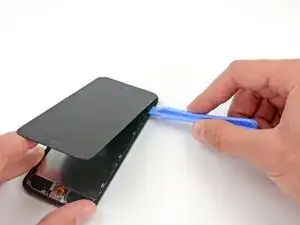
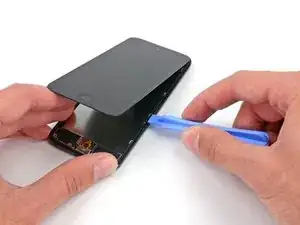
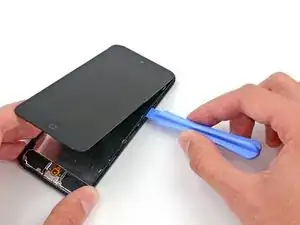
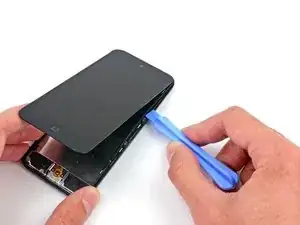
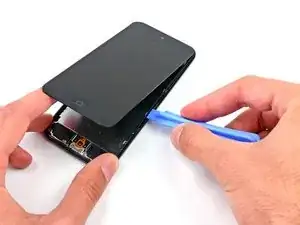
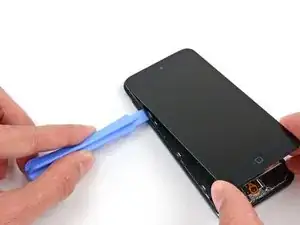
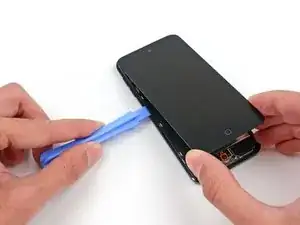
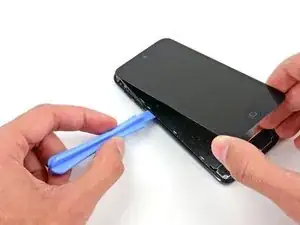
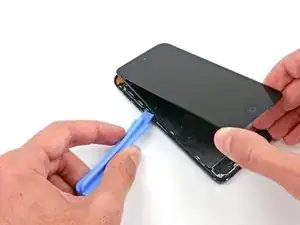
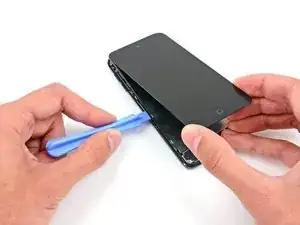
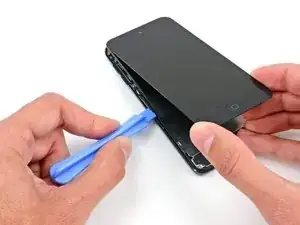
    • In den folgenden Schritten wird der Kunststoffrahmen, der das Display umgibt, abgelöst. Er ist mit mehreren Clips am Rückgehäuse befestigt.

    • Fange oben rechts am Gerät an und setze dort ein Kunststoff-Öffnungswerkzeug in den Spalt zwischen Kunststoffrahmen und Aluminium-Rückgehäuse ein.

    • Schiebe das Werkzeug in diesem Spalt nach unten und löse den Rahmen vom Gehäuse.

    Careful! This piece is super fragile. It really helps to understand the way the clips work. I struggled for 10 min with not a single un-clip, snapped the plastic frame in 2 places because I didn't understand the clips, and as soon as I figured out how they work the piece was off like a prom dress.

    The clips are metal n shapes around the outside of the frame. They need to be pushed away from the center of the device to release the frame. You need to get something in between the plastic and clip to release, a guitar pick is probably too thick. A thin opening device would probably work but I used a razor blade. I'm not sure if these clips are on all of the newer Apple devices, but I've never encountered one before (usually work on android devices.)

    I hope this helps prevent someone from having to replace the frame.

    Nate -

    I wish I had read this comment before I broke my frame, hah! It made sense once I had the clips out, but while they were still in it was mystifying. Thankfully it won't be too big of a problem since all of the frame will still clip in, it just won't be connected.

    Joshua Horan -

  6. ZOJWpkYdSKHwidId
    ZOJWpkYdSKHwidId
    IjCwZdLiuyBEmbCg
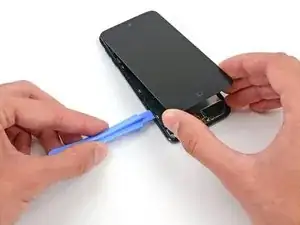
    • Setze das Kunststoff-Öffnungswerkzeug zwischen dem Rahmen und dem Rückgehäuse hinter dem ersten Clip ein.

    • Bewege das Werkzeug hin und her, um den Spalt hinter dem Clip zu vergrößern und ihn vom Rückgehäuse abzulösen.

    • Das wird den Clip eventuell nicht gleich lösen, wiederhole daher diesen Vorgang mehrfach bei jedem Clip.

  7. FO6nBD2Vb3KtxPEK
    FO6nBD2Vb3KtxPEK
    pswh3DSgXckVkQqN
    • Wiederhole diese Vorgehensweise bei den beiden nächsten Clips auf dieser Seite.

    • Möglicherweise musst du immer wieder zwischen den einzelnen Clips hin und her wechseln, um sie alle zu lösen. Lasse dir Zeit und arbeite sorgfältig und geduldig, da der Kunststoffrahmen recht empfindlich ist.

    Take your time with removing this bezel… it’s so easy to get impatient which easily snaps it

    Gary Ayre -

  8. I2SkAMrpHjNdawDP
    I2SkAMrpHjNdawDP
    kCUVZVDdXnsJiDVt
    d6wlOTOZCBmBXOin
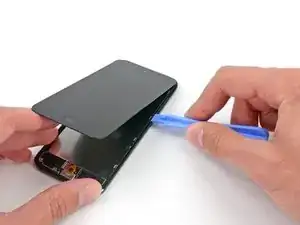
    • Gehe nun zur linken Seite des Gerätes über und setze ein Kunststoff-Öffnungswerkzeug nahe an der Oberseite in den Spalt zwischen dem Kunststoffrahmen und dem Aluminium-Rückgehäuse

    • Schiebe das Werkzeug in diesem Spalt nach unten, um den Rahmen vom Gehäuse zu lösen.

  9. L6E3DRjQYIP1EUvQ
    L6E3DRjQYIP1EUvQ
    kZHgU1nXTKKe6aZQ
    • Setze das Kunststoff-Öffnungswerkzeug zwischen dem Rahmen und dem Rückgehäuse hinter dem ersten Clip ein.

    • Bewege das Werkzeug hin und her, um den Spalt hinter dem Clip zu vergrößern und ihn vom Rückgehäuse abzulösen.

  10. F21hI3HZcDl6MAqY
    F21hI3HZcDl6MAqY
    4se2iOF6FoabcOOn
    • Wiederhole diese Vorgehensweise bei den beiden nächsten Clips auf dieser Seite.

    • Setze das Kunststoff-Öffnungswerkzeug zwischen dem Rahmen und dem Rückgehäuse hinter dem zweiten Clip ein.

    • Bewege das Werkzeug hin und her, um den Clip vom Rückgehäuse abzulösen.

    Hello how are you? I don't know what happens when I go back and put everything I close and the home button doesn't work, I disarm it and check the flex and it works when I press it but with the home button it doesn't.

    Rafael Mata -

  11. wWl6viWlGPAVynXj
    wWl6viWlGPAVynXj
    JufatXVTvLh12RfO
    • Benutze die gleiche Vorgehensweise und löse den letzten Clip, mit dem der Kunststoff-Rahmen am Rückgehäuse befestigt ist.

    this looks more like a 5th gen instead of 6th gen :-)

    ifixshop -

    They have the exact same dimensions.

    Jayson Saavedra -

    do you think if i use reolacement scren of itouch 5th gen to my itou h 6th gen this would work? i cant find screen for itouch 6th gen so im thnking to use the screen of 5th gen pls help me

    alm yuwysha -

  12. AUssLBoNkKEJNRp6
    AUssLBoNkKEJNRp6
    ErPagjMPnDToe2wO
    wSJ2ElmLGVHB6OgB
    • Setze das Kunststoff-Öffnungswerkzeug zwischen der Displayeinheit und dem Rückgehäuse nahe an der Oberseite des iPods ein.

    • Verdrehe das Öffnungswerkzeug leicht, um das Frontpanel vom Rückgehäuse abzuhebeln.

    • Löse die Displayeinheit vom iPod ab.

    • Versuche noch nicht, das Frontpanel komplett zu entfernen, da es noch über mehrere Kabel verbunden ist.

  13. cfAomcOPbgNQSHiO
    cfAomcOPbgNQSHiO
    kcJPimfnMFjyOlVY
    oPgTjojNBdff2hyO
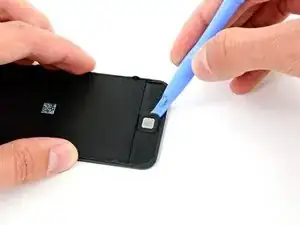
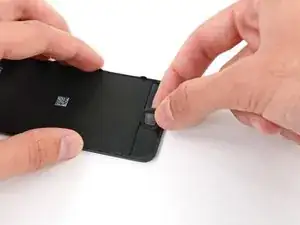
    • Achte darauf, dass du die Flachbandkabel, die die beiden Hälften des Geräts noch verbinden, nicht zerreißt, und lege die Displayeinheit flach hin, damit du auf die Rückseite des Home Buttons zugreifen kannst.

    • Verwende ein Öffnungswerkzeug aus Kunststoff, um die Gummimembran um den Home Button herum abzuheben.

  14. UuBLOs1cGIsCthQ4
    UuBLOs1cGIsCthQ4
    wugQvTgUQw2k3lyr
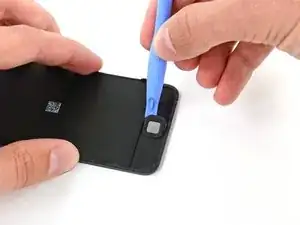
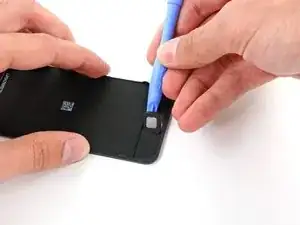
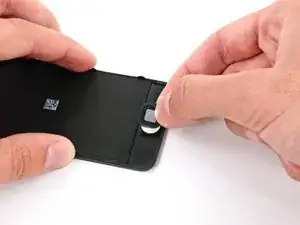
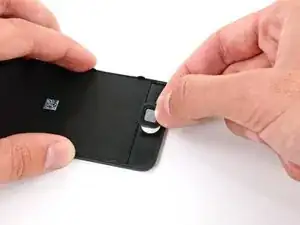
    • Sobald du die Taste so weit hochgehoben hast, dass du sie greifen kannst, hebe sie vorsichtig von der Displayeinheit ab. Ziehe dabei langsam, damit das Gummi nicht reißt.

    • Entferne den Home Button vom iPod.

    How do you put the home button back on the screen? Mine won't stay on. Please help!!

    Delio Lopez -

    I used a fine tip like a toothpick and carefully applied spray adhesive to the soft rubber and placed it back on the glass, used the spudger to ensure it was seated, let it sit for ten minutes then reassembled and gave it ten more minutes befor I tried it, been working great . Spray adhesive on a paper plate and dab toothpick in it and carefully apply. Be patient

    keith knight -

    Where can I buy a new home button ???

    Flip -

    Where can you buy a new home button if you can't find one in stores

    Olivia pieters -

    Ebay is nice, just be sure you buy the right model made for your Ipod Touch series

    Alyrxc -

Abschluss

Um dein Gerät wieder zusammenzubauen, folge den Schritten dieser Anleitung in der umgekehrter Reihenfolge.

Andrew Optimus Goldheart

Mitglied seit: 17/10/09

509891 Reputation

2 Kommentare

Where's the rest of the guide? How to install the new home button, adhere it, etc. It doesn't appear to replace the actual switch, just the plastic button. Is it expected to fix non-working home buttons, or just make them look good with a new, pretty top?

This is a great disassembly guide, but a poor "Home Button Replacement"guide.

A Woolf -

I agree; in most cases the fault won't be the outer button but the dome switch underneath. For that repair the best source I found was here:

https://www.youtube.com/watch?v=lzn5O3Ci...

There are two very small dome-shaped parts, one of which is rimmed with orange adhesive Kapton tape that make up the dome switch; the lower one goes on first, convex side up. Then the Kapton taped upper dome goes on over that, with the small tabs in the tape aligned left and right when placed over the lower dome. This is a very delicate operation, and requires patience and tools for finely detailed work. I successfully got mine working again, so I can confirm that this repair is possible. The parts can be purchased by using the link provided in the YouTube video. Best of luck!

Tom Hess -