Einleitung

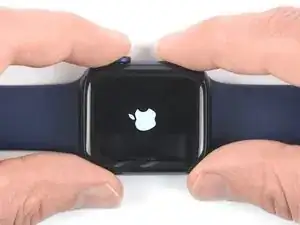
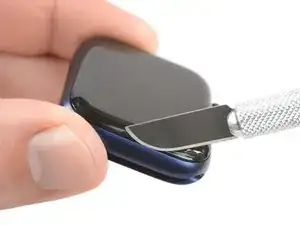
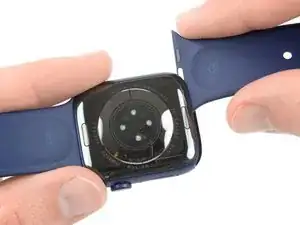
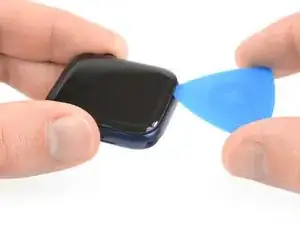
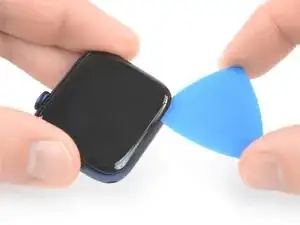
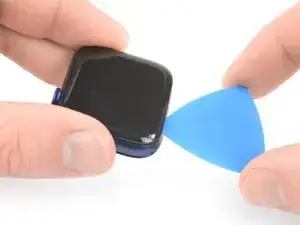
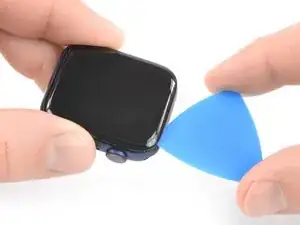
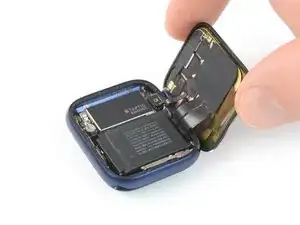
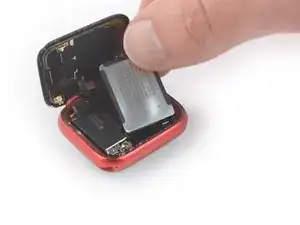
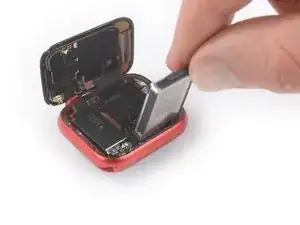
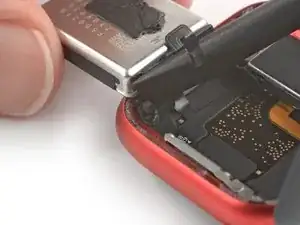
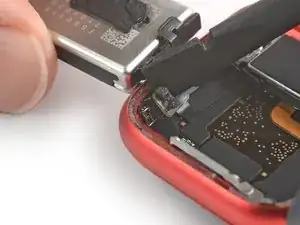
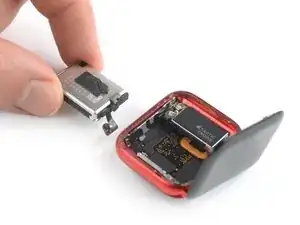
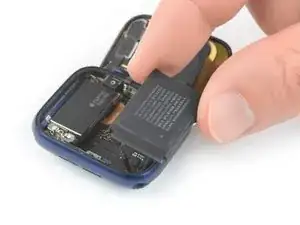
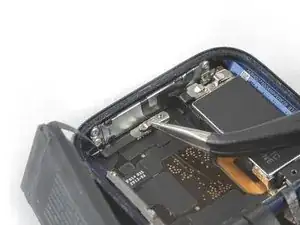
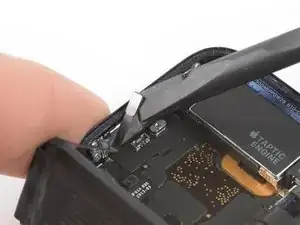
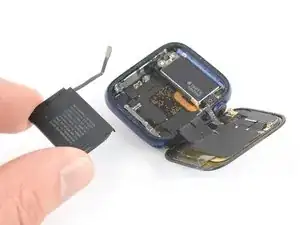
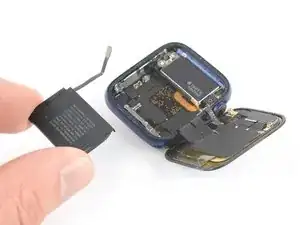
Benutze diese Anleitung, um den abgenutzten Akku in einer Apple Watch Series 6 zu ersetzen.

In dieser Anleitung wird der Vorgang anhand einer cellular/LTE Version der Uhr gezeigt, aber die GPS-Version ist ähnlich.

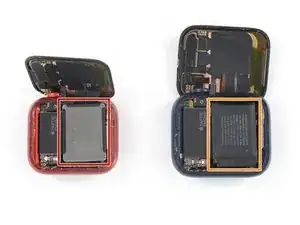
Hinweis: Der Austausch des Akkus der 40 mm Series 6 Apple Watch unterschiedet sich leicht von der 44 mm Version. In dieser Anleitung wird gezeigt, wie der Akku in beiden Versionen ausgetauscht wird.

Wenn dein Akku aufgebläht ist, musst du entsprechende Vorsichtsmaßnahmen treffen. Entlade deinen Akku zu deiner Sicherheit auf unter 25%, bevor du mit dem Zerlegen der Uhr anfängst. Das reduziert das Risiko, dass sich der Akku entzündet oder explodiert, falls er während der Reparatur versehentlich beschädigt wird.

Du wirst für den Zusammenbau Ersatzklebestreifen benötigen, um die einzelnen Komponenten wieder zu befestigen.

  1. EFWbVKXYaNDQU4cM
    EFWbVKXYaNDQU4cM
    plhMwOSuZPthNHWj

    If you change the battery of the 44 mm Model, make sure you got the Y000 bit for the tiny screw. I have a pretty comprehensive bit set from iFixit, but that one was not included.

    AD161 -
  2. MFZ6muLZdUPbU3fM
    MFZ6muLZdUPbU3fM
    wSfvILMQH4VKhbKi
    dhhRiMVS15uMFZQ5
    • Da der Spalt zwischen Display und Uhrengehäuse sehr schmal ist, wird eine scharfe Klinge benötigt um die beiden Teile voneinander zu trennen. Lies dir die folgenden Warnhinweise sorgfältig durch, bevor du weitermachst.

    • Pass auf deine Finger auf, wenn du mit der Klinge arbeitest. Schütze deine Hand am besten mit einem Handschuh aus Leder oder einem Gartenhandschuh.

    • Achte darauf, nicht zu viel Druck auszuüben, da das Messer sonst abrutschen und dich verletzen oder die Watch beschädigen kann.

    • Trage eine Schutzbrille. Die Klinge oder das Glas können brechen und Splitter können ins Auge kommen.

    • Du kannst das Uhrarmband abnehmen oder dranlassen, je nach dem, was praktischer für dich ist.

    I found the supplied razor blade too thick to get in the gap between the screen and the case. I used half a Dorco razor blade to do the job, and some isopropyl alcohol once it started to lift.

    Dave M -
  3. SJDuMHt1uN6hhhMO
    • Bereite einen iOpener vor (oder benutze einen Fön oder eine Heißluftpistole) und erwärme die Vorderseite der Uhr, um den Displaykleber aufzuweichen.

    • Lasse den iOpener mindestens zwei Minuten auf der Uhr liegen, damit das Display gut erwärmt und so der Kleber, mit dem es am Gehäuse befestigt ist, aufgeweicht wird.

    • Möglicherweise musst du den iOpener mehrfach erhitzen und auflegen, bis der Displaykleber ausreichend aufgeweicht ist.

  4. A2bxrliYwW3GrG6i
    A2bxrliYwW3GrG6i
    ee2YtARrWbppAK2R
    IDVBJeACdDH1FCSe
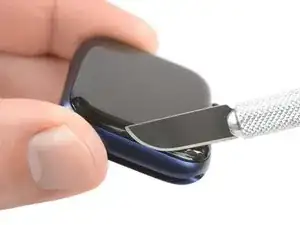
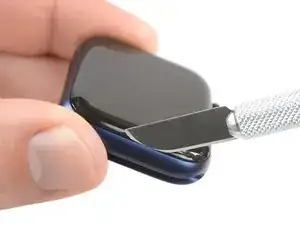
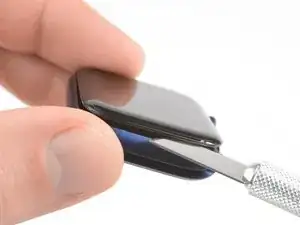
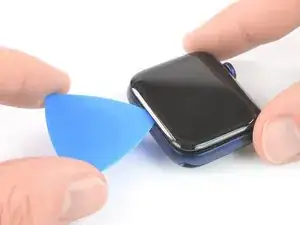
    • Setze die Kante einer gebogenen Klinge in die schmale Fuge zwischen Display und Außengehäuse. Beginne an der kurzen Seite des Displays, die am weitesten von der Krone entfernt ist.

    • Drücke die Klinge fest gerade nach unten in den Spalt.

    • Sobald die Klinge drinnen ist, kippe sie, um das Display leicht zu öffnen.

    I was unable to do this. and I ended up breaking the glass in the process. So this was not a great experience

    Nicolas Randall -

    Only thing that fit that gap for me was a razor blade. Used one of those plastic scraper frames to secure it. Everything went according to this guide.

    Dan -

    With a titanium case there is no give to get the blade within the gap. This step probably works fine with an aluminum case as it has more give. Even purchased new knives to make it work but only ended up scratching the case. Will now need to take to Apple Store and live with scratches...

    Mike Motroni -

    Instead of a knife I used an ultrathin 0.1 mm spudger pry blade (Amazon) to get under the display and actually cut the seal around the whole display.

    AD161 -

  5. wAEV4a5D1hdEDTlZ
    wAEV4a5D1hdEDTlZ
    lX2xwBgODWaXQwWg
    gpF5XWQClblDN1kT
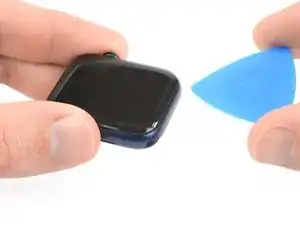
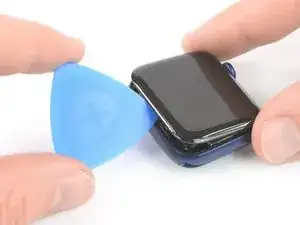
    • Setze ein Plektrum in den eben entstandenen Spalt.

    • Schiebe das Plektrum an der kurzen Kante der Uhr entlang, um den Kleber zu durchtrennen.

  6. aOnHpiBid6lABfXJ
    aOnHpiBid6lABfXJ
    6SMKHYXr4oYVJGOX
    • Schiebe das Plektrum um die Ecke und an der langen Kante gegenüber der Uhrenkrone entlang, um den Displaykleber aufzutrennen.

  7. PpRZOvOqTaGv2voL
    PpRZOvOqTaGv2voL
    yNNfImYpFYF3Odyi
    • Schiebe das Plektrum um die Ecke, um den restlichen Kleber an der kurzen Kante nahe bei der Uhrenkrone zu durchtrennen.

  8. pMOFHYoITTKgSeim
    pMOFHYoITTKgSeim
    5DOQBaWSeGHBX5Od
    • Lege die Uhr auf eine gerade Oberfläche und benutze ein Plektrum, um den restlichen Kleber durchzuschneiden.

    • Versuche, nicht zu nahe an der Uhrenkrone zu schneiden, um zu vermeiden, dass die Displaykabel beschädigt werden. Wenn du in der Nähe der Uhrenkrone schneiden musst, setze das Plektrum nicht tiefer als etwa 2 mm ein.

    • Schiebe ein Plektrum unter die Displaykante, die sich gegenüber von der Uhrenkrone befindet.

    • Drehe das Plektrum, um das Display vom Uhrengehäuse abzulösen.

    • Versuche auf keinen Fall, das Display zu entfernen, da es immer noch mit der restlichen Uhr verbunden ist.

  9. QlaHvAE26VMHYsim
    QlaHvAE26VMHYsim
    JBpuPYbbpcZEA5bG
    mUOFFRKtJRWwMxyw
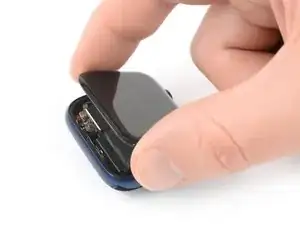
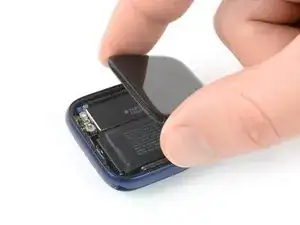
    • Achte darauf, die Displaykabel nicht zu sehr anzuspannen, wenn du das Display zur Seite klappst.

    • Hebe das Display an und ziehe es vorsichtig zur Uhrenkrone.

    • Klappe das Display hoch, sodass es aufrecht steht.

    When I opened my watch I saw two layers of adhesive or are they gaskets? I broke one accidentally but not sure if I should keep the undamaged one in there? Or should both side be totally bare and the adhesive itself is also the seal?

    Also I think I damaged my battery when prying it up since it won’t hold a charge now. I bought a replacement battery and will try that but is there anything else it could be?

    Melina Jefferson -

    Be very careful here... My display cable broke before achieving the angle they show in the last pick above. You may well want to order new cables along with the battery and gaskets. The are only $19.95

    Robert Shettel -

  10. JgLAptdXYs3jPpbj
    • Bereite einen iOpener vor (oder benutze einen Fön oder eine Heißluftpistole) und erwärme die Rückseite der Uhr, um den Akkukleber aufzuweichen. Lasse den iOpener mindestens zwei Minuten auf der Uhr liegen.

  11. XVfNScAogslfrFJs
    • Ab diesem Punkt unterscheidet sich die Vorgehensweise für das 40 mm Uhrenmodell leicht vom 44 mm Modell.

    • Wenn du den Akku in einer 40 mm Uhr austauschst, dann mache mit diesem Schritt weiter.

    • Wenn du den Akku in einer 44 mm Uhr austauschst, dann mache mit diesem Schritt weiter.

    These links for replacing the battery for the 40mm and 44mm are going to the battery section of the screen replacement instructions page. They should go to the battery replacement instructions below instead. (This is likely a copy-paste error from that other page)

    Beopaul -

    Yeah, bad links in step 11

    Christopher Truesdell -

    I have edited the links to stay on the correct guide so they should work right once the edit is approved by the admins.

    Jerry Wheeler -

  12. jSAHPOormJWJsQpQ
    jSAHPOormJWJsQpQ
    fhcMwhX35nmenYrG
    2vboKXxkboqgqClV
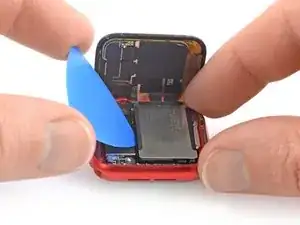
    • In den folgenden vier Schritten wird gezeigt, wie der Akku einer 40 mm Apple Watch Series 6 ausgebaut wird.

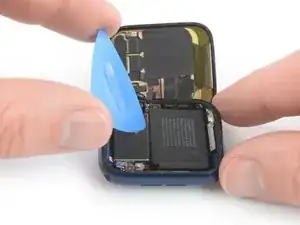
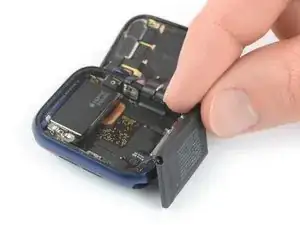
    • Setze ein Plektrum zwischen dem Akku und der Taptic Engine ein.

    • Heble den Akku langsam mit gleichmäßigem Druck hoch und löse ihn so vom Kleber ab, mit dem er am Mainboard befestigt ist.

    • Achte darauf, dass du den Akku nicht punktierst oder verformst, da er sich entzünden und/oder explodieren kann, wenn er beschädigt wird.

    • Versuche noch nicht, den Akku ganz zu entfernen. Er ist immer noch mit der Uhr verbunden.

    that ribbon at the top left corner of the battery in the picture is extremely fragile. my pick snapped it in half :(

    Eugene L -

  13. tgj6aDPPOiEBJPfJ
    tgj6aDPPOiEBJPfJ
    JFHEtoXMpLQeiAw5
    1dEHQLFiNaD5uqgV
    • Das Flachbandkabel des Akkus ist lang genug, sodass du den Akku außerhalb des Uhrengehäuses ablegen kannst, vermeide es aber auf jeden Fall, das Akkukabel zu sehr anzuspannen, wenn du den Akku aus seiner Vertiefung hebst.

    • Klappe den Akku vorsichtig aus seiner Vertiefung heraus.

  14. QDBq12laXOGXGegh
    QDBq12laXOGXGegh
    OGINSWZCWMCXOPIo
    • Benutze das flache Ende eines Spudgers, um den Akkustecker hochzuhebeln und abzutrennen.

  15. oqmwN1OTVpFqLHXJ
    • Entferne den Akku.

    • Baue aus Sicherheitsgründen niemals einen beschädigten oder verformten Akku ein.

    • Wenn du beim Zusammenbau deinen alten Akku wiederbenutzt, kannst du das originale Klebeband zum Befestigen benutzen.

    • Alternativ kannst du die alten Klebestreifen mit hochkonzentriertem Isopropylalkohol und einem fusselfreien Tuch entfernen und ein kleines Stück doppelseitiges Klebeband wie zum Beispiel Tesa 61395 oder etwas Flüssigkleber wie E6000 benutzen.

  16. 6XaDBcHdYXWfhMoG
    6XaDBcHdYXWfhMoG
    yRCqjU62NCuKYDEB
    gmjPYlvVNro1npF4
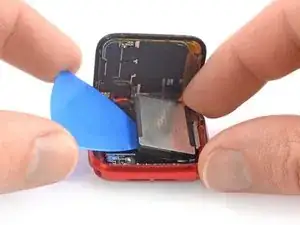
    • In den folgenden vier Schritten wird gezeigt, wie der Akku einer 44 mm Apple Watch Series 6 ausgebaut wird.

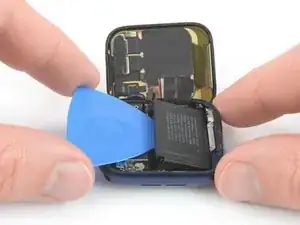
    • Setze ein Plektrum zwischen dem Akku und der Taptic Engine ein.

    • Heble den Akku langsam mit gleichmäßigem Druck hoch und löse ihn so vom Kleber ab, mit dem er am Mainboard befestigt ist.

    • Achte darauf, dass du den Akku nicht punktierst oder verformst, da er sich entzünden und/oder explodieren kann, wenn er beschädigt wird.

    • Versuche noch nicht, den Akku ganz zu entfernen. Er ist immer noch mit der Uhr verbunden.

    My watch has a metal shield in between the battery and screen?

    Eric Macfadyen -

    Hi Eric,

    I assume you own the 40mm version of the Apple Watch series 6 which has a slightly different build. The one you see here is the 44mm version.

    Dominik Schnabelrauch -

    Is removing the battery really necessary if you are only replacing the display? I can't see in the following steps where the battery would get in the way of detaching the old screen.

    Christopher Truesdell -

    I’ve already taken off the screen , had a bad scratch I couldn’t get out then totally messed it up so for $50 bucks and some increased knowledge of Apple Watches I have the 6 44mm and the whole screen is off took 2days, I’m a little afraid I may have taken off the lcd part as well and I just bought a digitizer and new battery i didn’t get anything called an lcd they were more expensive but I’ve looked for hours and I didn’t tear anything, any thoughts?

    Jeremy Park -

    Hi Jeremy,

    Unfortunately what the sites that sell just the digitizer (AKA the front glass) aren't telling you is that it's extremely difficult to separate the LCD and the digitizer, as they're bonded together with glue called OCA (Optically Clear Adhesive). It takes specialized skills and equipment to successfully separate them without damaging the delicate LCD, then even more equipment to rebond the display with a new digitizer. I consider myself a very experienced DIY guy and this isn't something I'd try on an Apple Watch. I have done one on a couple of iPhone 6's that turned out with barely acceptable results, and one on a Samsung phone that failed miserably.

    Sorry to say, you'll need to bite the bullet and just buy a new screen assembly, one that includes both the LCD and the digitizer. Presumably you haven't done anything with the replacement part you already bought, so hopefully you can return it.

    Jerry Wheeler -

  17. CVOKxSjaO2NRdIZk
    CVOKxSjaO2NRdIZk
    mAJ4dPYlkjoNuFVy
    PQ2vegO2PZ2wR5HA
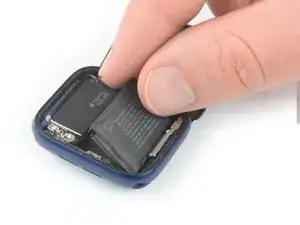
    • Das Flachbandkabel des Akkus ist lang genug, sodass du den Akku außerhalb des Uhrengehäuses ablegen kannst, vermeide es aber auf jeden Fall, das Akkukabel zu sehr anzuspannen, wenn du den Akku aus seiner Vertiefung hebst.

    • Hebe den Akku vorsichtig aus seiner Vertiefung heraus und lege ihn außerhalb des Uhrengehäuses gegenüber von der Taptic Engine ab.

  18. vMTf5UqsvMvTPSbf
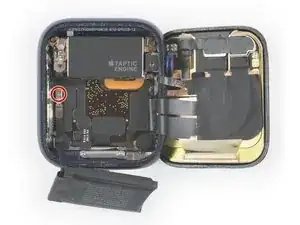
    • Entferne die einzelne 1,2 mm lange Tri-Point Y000 Schraube.

  19. SsonvQBnnOKZXVvs
    SsonvQBnnOKZXVvs
    xrDPZ6DCl3UVa3kt
    • Entferne die Metallabschirmung über dem Akkustecker mit einer Pinzette.

  20. bOeJTZWogCpqXaOu
    bOeJTZWogCpqXaOu
    ByGtXXogeBOGKZiC
    • Benutze das flache Ende eines Spudgers, um den Akkustecker hochzuhebeln und abzutrennen.

    Be careful that you don't push the spudger into the battery reciptical port and pop that off the motherboard like I did. Pry straight up. Do not press the spudger into the side of the battery connection port. I think I'm out of luck now.

    Timerly2 -

  21. mPa1MThFppERQEBG
    • Entferne den Akku.

    • Baue aus Sicherheitsgründen niemals einen beschädigten oder verformten Akku ein.

    • Wenn du beim Zusammenbau deinen alten Akku wiederbenutzt, kannst du das originale Klebeband zum Befestigen benutzen.

    • Alternativ kannst du die alten Klebestreifen mit hochkonzentriertem Isopropylalkohol und einem fusselfreien Tuch entfernen und ein kleines Stück doppelseitiges Klebeband wie zum Beispiel Tesa 61395 oder etwas Flüssigkleber wie E6000 benutzen.

    I did not really see any adhesive strip to remove, neither on the battery, nor in the housing. So installed the new one without any adhesive. Though the backside of the new battery had a plastic foil to remove, guessing that‘s the way to make the battery stick.

    To seal the display to the housing again I used B-7000 glue.

    AD161 -

Abschluss

Schalte dein Gerät wenn möglich ein und teste die Reparatur, bevor du es wieder verklebst.

Befestige den Akku mit vorgestanzten Klebestreifen oder doppelseitigem Klebeband. Klebe die Klebestreifen an den Stellen fest, wo sich vorher das alte Klebeband befand, und nicht direkt auf dem Akku. Drücke den neuen Akku gut fest.

Um deine Apple Watch Series 6 wieder zusammenzubauen, folge den Schritten dieser Anleitung in umgekehrter Reihenfolge. Reinige die Klebereste an den Kanten des Uhrengehäuses mit etwas Isopropylalkohol (>90%) und einem Q-Tip oder einem Reinigungstuch, bevor du die neuen Klebestreifen einsetzt.

Entsorge deinen Elektromüll fachgerecht.

Lief die Reparatur nicht wie geplant? Versuche es mit einigen grundsätzlichen Lösungsansätzen oder frage in unserem Forum nach.

Dominik Schnabelrauch

Mitglied seit: 23/11/16

235812 Reputation

16 Kommentare

Where do I purchase a replacement battery?

Salma Khan -

You can Google this. There are several sites offering batteries.

agrior -

Moin Team !

Welches Klebeband benötige um das Display möglichst Wasserresistent abzudichten und festzukleben ?

ike-bhv -

None is needed for the series 6. You seal it with glue. I.e. B-7000 glue.

agrior -

Does the watch is still water resistant after replacing the battery ?

Nicolas Kalogeropoulos -

Not really, but I glue with certain types of glue and cure it for 1 hour and it seems to hold well. but I still wouldn't recommend going into pool.

iFIX smartphone -

You buy a new adhesive cut out. Ebay.

Phil Rydin -

If you use b-7000 glue, yes.

Jan Sunde -

Muss ich denn das Display ausbauen beim Akku Tausch? Oder reicht es einfach einen neuen Akku einzusetzen

Melanie -

Just completed the battery replacement for a series 6 40mm watch. The repair went smoothly, but now that it's all back together there are two bright blue vertical lines through the display. Any idea what I damaged? I'm assuming I damaged a cable or something and there is no fix, but I would like to know what I damaged so that I can be more careful next time.

Nicholas Sweeney -

It sounds like you damaged OLED. You will need new display for it but also want to make sure you transfer NFC chip in order to save Apple Pay function. but then, maybe it's time to upgrade.

iFIX smartphone -

Opening the case was difficult. Removing the battery was easy, but despite careful handling, the outer battery case became somewhat warped. I installed the new battery, and initially only the apple logo flashed... then after 20 minutes charging, the new battery showed 75 percent charged. I turned the unit off and completed the installation, sealing the case. Once finished, the watch only flashes the logo. The watch worked normally with the original battery, so suspect that the new battery is defective. Any similar experiences?

Michael -

The guide doesn’t show how to install a new battery. Am I missing something?

Amrit Wafa -

Read the Conclusion section at the end; it gives you all the information you need in order to reassemble your watch with the new battery.

Jerry Wheeler -

Seems to be very good instructions, but I had one issue that is now holding me up while I order adhesive for the case.

Please update your "what you need" list to discuss adhesive for the watch face/case not just the battery, I ordered what I thought was everything I needed but didn't include adhesive for the case reassembly because it was a "conclusion" section and it really isn't well discussed.

There also seems to be questions about it being water resistant after re-assembly which I would assume is related to the type of adhesive you need to use.

I'll need to figure out what I need for adhesive and pay shipping again because I will not be enough for free shipping from iFixit.

And maybe talk more about the iOpener and if it can be overused and cause heat damage to the watch beyond loosening the adhesives.

Is there good coverage of working with these adhesives in general ? Like what temperature they need to reach to soften enough for removal, what solvents are best and what happens if you just try to reuse them.

Kevin K -

I used the Tesa 61395 1mm double-sided tape from iFixit. It's a bit of a struggle to lay down on the inside, by the edge. One must not forget to remove the old tape, of course.

A pre-cut piece would be best, if it even exists. Armed with a bit of patience and a steady hand, 4 pieces can be placed relatively easy. I found it easier to cut the tape around the corners to avoid bending it around the curve. The hardest part was on the side of the ring button because you have to work behind the cable. Got some pics, if anyone's interested.

I wouldn't call it waterproof, though.

As for the heating of the existing adhesive, I simply used a hair dryer and did 4-5 runs until the watch was warm-towards-hot to the touch.

Good luck!

Dan -